'>
<rect width='100' height='100' fill='%23B22234'/>
<!-- stripes -->
<g fill='%23fff'>
<rect y='10' width='100' height='10'/>
<rect y='30' width='100' height='10'/>
<rect y='50' width='100' height='10'/>
<rect y='70' width='100' height='10'/>
<rect y='90' width='100' height='10'/>
</g>
<!-- blue box -->
<rect width='50' height='50' fill='%233C3B6E'/>
</g>
</svg>)
'>
<rect width='100' height='100' fill='%23fff'/>
<rect width='100' height='33.33' y='0' fill='%23FF9933'/>
<rect width='100' height='33.33' y='66.66' fill='%23138808'/>
<!-- Ashoka Chakra -->
<circle cx='50' cy='50' r='9' fill='none' stroke='%23000080' stroke-width='2'/>
<g stroke='%23000080' stroke-width='1'>
<line x1='50' y1='41' x2='50' y2='59'/>
<line x1='41' y1='50' x2='59' y2='50'/>
<line x1='44' y1='44' x2='56' y2='56'/>
<line x1='56' y1='44' x2='44' y2='56'/>
</g>
</g>
</svg>)
 info@blackmarlintechnologies.com

Imagine you have just finished your homework, and then you send in two copies by accident, with the same exact answers. Your teacher would probably pick only one of them and just leave the second aside, without much ceremony. Google runs in a very similar way
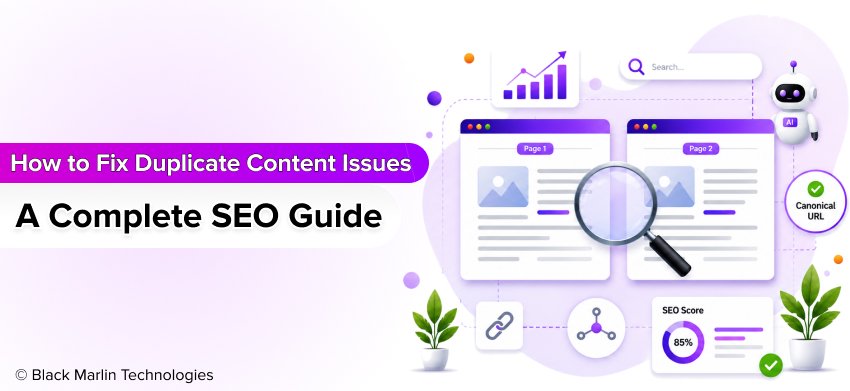 When your site ends up with two or more pages that have the same content, or just a very similar one, Google might have a hard time choosing which page should show up in the search results. This is often called duplicate content. Rather than placing every version in the rankings, Google typically picks one preferred page and then may disregard the rest. Because of this, your rankings, the organic visitors you get, and your overall SEO results can take a hit.
The good news is that duplicate content is one of the more common technical SEO hassles, and it is also one of the easiest things to fix, once you know what to search for. Whether the issue shows up in multiple URLs or on product pages, category pages, URL parameters, or even in copied material, there are tried and tested ways to resolve it.
Duplicate Content by the Numbers
| Metric | Data |
| Estimated duplicate content on the web | 25–30% of web content is estimated to be duplicate |
| Google usually indexes | One preferred (canonical) version of similar pages |
| Duplicate URLs can waste | Crawl budget, making it harder for Google to discover important pages |
| Best technical solution | Canonical tags help Google identify the preferred version of a page |
Did you know? Google usually doesn’t punish a website just because it contains duplicate content. Instead, it tends to bundle related pages together, then it picks one canonical preferred version to index and rank. That’s why fixing duplicate content matters so much for making your site more visible and raising overall SEO performance.
- What Is Duplicate Content?
- Internal Duplicate Content
- External Duplicate Content
- Near Duplicate Content
- Exact Duplicate Content
- Why Is Duplicate Content Bad for SEO?
- Google Becomes Confused
- The Wrong Page May Rank
- Link Authority Gets Split
- Crawl Budget Gets Wasted
- Important Pages Can Be Ignored
- Organic Traffic Can Drop
- Poor User Experience
- Quick Overview: How Duplicate Content Affects SEO
- 15 Common Causes of Duplicate Content
- 1. HTTP vs HTTPS Versions
- 2. WWW vs Non-WWW Versions
- 3. URL Parameters
- 4. Session IDs
- 5. Printer-Friendly Pages
- 6. Pagination
- 7. Product Variants
- 8. Category Pages
- 9. Tag Pages
- 10. Copied Product Descriptions
- 11. AI-Generated Repetitive Pages
- 12. Location Pages
- 13. CMS Issues
- 14. PDF Versions
- 15. Syndicated Articles
- How Google Handles Duplicate Content?
- How to Find Duplicate Content?
- Google Search Console
- Google Search Operators
- Semrush Site Audit
- Ahrefs Site Audit
- Screaming Frog SEO Spider
- Copyscape
- Siteliner
- How AI Content Creates Duplicate Content?
- Reusing the Same Prompt
- Using Multiple AI Tools with Similar Prompts
- Mass-Generated Location Pages
- AI-Generated Product Descriptions
- Publishing AI Content Without Human Editing
- Common AI Content Mistakes That Lead to Duplicate Content
- Best Duplicate Content Tools
- Google Search Console
- Semrush Site Audit
- Ahrefs Site Audit
- Screaming Frog SEO Spider
- Copyscape
- Siteliner
- Sitebulb
- Frequently Asked Questions
- Conclusion
What Is Duplicate Content?
Duplicate content is when the same, or very near-matching content, shows up on more than one webpage. That can happen on the same domain, or it can appear across different websites too. If Google runs into duplicates, it might get puzzled about which exact copy should show up in search results. Instead of giving ranking to every reprint, it will typically pick one version as the main choice and may leave the other pages out.
This doesn’t always mean your website will get a Google penalty. Still, duplicate content can reduce your search visibility, split ranking signals in a messy way, waste crawl budget, and make it more difficult for your most important pages to rank. That’s why learning how to fix duplicate content problems is a big and steady part of any effective SEO strategy.
Not all duplicate content is created in the same way. Let’s look at the four main types.
Internal Duplicate Content
Internal duplicate content shows up within the same website, this is the most common kind and often comes from technical SEO problems rather than from people doing intentional copying.
For example, your homepage might be available through different URLs, such as:
- https://example.com
- https://www.example.com
- https://example.com/index.html
Although these URLs display the same content, Google may see them as separate pages if they are not properly managed.
Other common causes include:
- HTTP and HTTPS versions of the same page
- URL parameters (such as ?sort=price)
- Category and tag pages
- Printer-friendly pages
- Product filter URLs
- Pagination issues
External Duplicate Content
External duplicate content happens when the same content appears on different websites.
This can happen if someone copies your blog post without permission, if you publish the very same piece across multiple websites, or if a few online shops are just reusing the manufacturer’s product description without making it different enough.
Google usually attempts to trace the original source and to rank that page. Still, if it can not figure out which web page arrived first, your rankings may get affected.
Near Duplicate Content
Near duplicate content means pages that are close to identical, but with small modifications here and there. Even if the sentences sound a bit different or use slightly alternative phrasing, most of the core information is still the same.
This often happens when businesses make multiple location pages or product pages by tweaking only the city name, product hue or a few sentences.
Exact Duplicate Content
Exact duplicate content is when two or more pages end up containing the very same material, with zero meaningful differences.
This usually happens because of a technical website issue or when the content gets copied and then published multiple times.
Why Is Duplicate Content Bad for SEO?
Imagine you have two roads going to the same destination. If people keep choosing different paths, the flow gets split, a little more chaotic. And yes, a similar thing happens with duplicate content. Rather than sending all your SEO value to one page, Google has to determine which copy is more important, like which one deserves attention. That decision can lower your chances of ranking strong in search results.
Duplicate content doesn’t always trigger a Google penalty, but it can quietly cause a bunch of SEO issues that hit your website’s visibility, traffic, and overall user experience. Here’s a messy, but clear list of the biggest reasons duplicate content is bad for SEO.
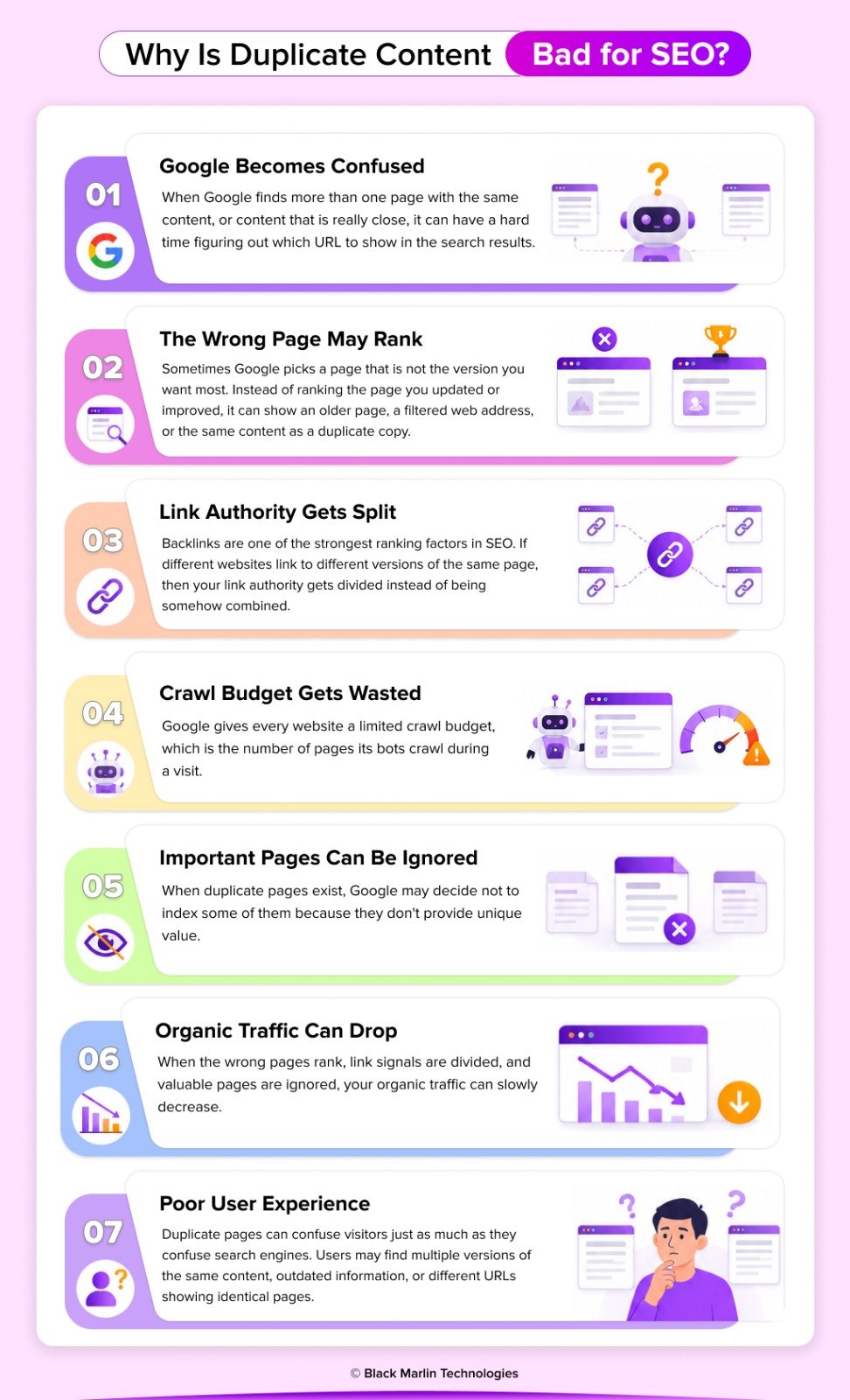
Google Becomes Confused
When Google finds more than one page with the same content, or content that is really close, it can have a hard time figuring out which URL to show in the search results. Because of that, Google will pick one version as the canonical page, and then it may just disregard the others.
The Wrong Page May Rank
Sometimes Google picks a page that is not the version you want most. Instead of ranking the page you updated or improved, it can show an older page, a filtered web address, or the same content as a duplicate copy.
This means your most important page could lose valuable visibility, clicks, and potential customers.
Link Authority Gets Split
Backlinks are one of the strongest ranking factors in SEO. If different websites link to different versions of the same page, then your link authority gets divided instead of being somehow combined.
Instead of making one really strong page, your SEO value gets scattered across a bunch of duplicate URLs, so none of them feel fully valued and it becomes more difficult for any of those pages to rank well.
Crawl Budget Gets Wasted
Google gives every website a limited crawl budget, which is the number of pages its bots crawl during a visit.
If search engines spend time crawling duplicate pages, they have less time to discover your new blog posts, updated products, or important landing pages.
This is especially important for large websites and ecommerce stores with thousands of URLs.
Important Pages Can Be Ignored
When duplicate pages exist, Google may decide not to index some of them because they don’t provide unique value.
If an important page isn’t indexed, it won’t appear in Google Search, no matter how well it’s designed or optimized.
In simple words, if Google can’t see your page, your customers can’t either.
Organic Traffic Can Drop
When the wrong pages rank, link signals are divided, and valuable pages are ignored, your organic traffic can slowly decrease.
Even a small duplicate content issue across many pages can reduce your website’s overall search performance and make it harder to compete for important keywords.
Fixing duplicate content helps search engines understand your website better and improves your chances of earning more organic traffic.
Poor User Experience
Duplicate pages can confuse visitors just as much as they confuse search engines.
Users may find multiple versions of the same content, outdated information, or different URLs showing identical pages. This makes your website feel less organized and can reduce trust in your brand.
A clean website with unique, helpful content creates a better experience for both users and search engines.
Quick Overview: How Duplicate Content Affects SEO
| SEO Problem | Impact on Your Website |
| Google becomes confused | Search engines struggle to choose the correct page to rank. |
| Wrong page ranks | Less important or outdated pages may appear in search results. |
| Link authority splits | Backlinks are divided across multiple URLs instead of strengthening one page. |
| Crawl budget is wasted | Google spends time crawling duplicate pages instead of new or updated content. |
| Pages get ignored | Important pages may not be indexed or shown in Google Search. |
| Organic traffic drops | Lower rankings can lead to fewer visitors and potential customers. |
| Poor user experience | Visitors may become confused by repeated or outdated content. |
15 Common Causes of Duplicate Content
Duplicate content usually does not appear purely by accident, in most cases. More often, it comes from website settings, content management systems (CMS), ecommerce platforms, or plain publishing mistakes. The good news, though, is that when you recognize the causes, you can prevent a lot of it, way easier. Here are 15 common reasons websites end up with duplicate material problems, and the way those issues can affect SEO.
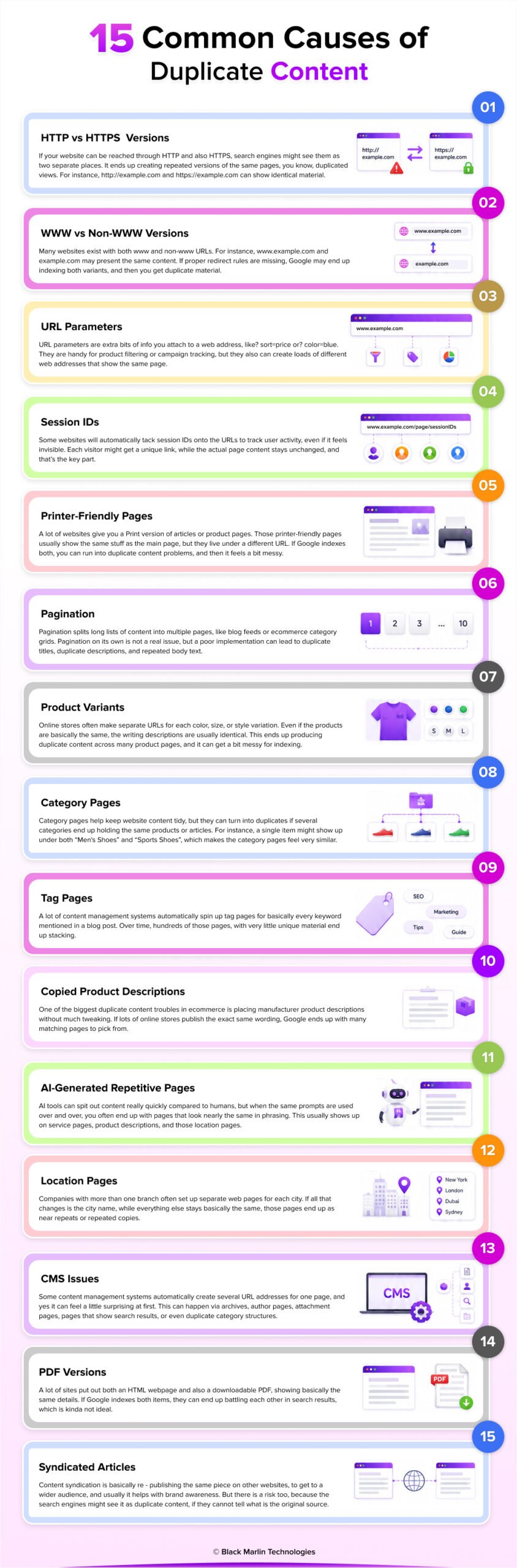
1. HTTP vs HTTPS Versions
If your website can be reached through HTTP and also HTTPS, search engines might see them as two separate places. It ends up creating repeated versions of the same pages, you know, duplicated views. For instance, http://example.com and https://example.com can show identical material. When the HTTP route is not sent over to HTTPS with a redirect, Google can crawl and also store both URLs in its index, which is not ideal. The best move is to redirect every HTTP page over to HTTPS with a 301, then set HTTPS as the main or preferred address.
2. WWW vs Non-WWW Versions
Many websites exist with both www and non-www URLs. For instance, www.example.com and example.com may present the same content. If proper redirect rules are missing, Google may end up indexing both variants, and then you get duplicate material. To prevent that, pick a single preferred version and redirect the other one, using a permanent 301 redirect. Also, keep the same shape everywhere, in internal links, sitemap entries, and the canonical tag.
3. URL Parameters
URL parameters are extra bits of info you attach to a web address, like? sort=price or? color=blue. They are handy for product filtering or campaign tracking, but they can also create loads of different web addresses that show the same page. Then search engines might crawl every one of those little variations, and that really burns through crawl budget. So it helps to use canonical tags and cut down on those unnecessary parameter-based URLs, so Google ends up indexing only the primary version of each page.
4. Session IDs
Some websites will automatically tack session IDs onto the URLs to track user activity, even if it feels invisible. Each visitor might get a unique link, while the actual page content stays unchanged, and that’s the key part. So you can end up with hundreds, or maybe thousands of duplicate URLs pointing to what is basically the same page. Modern sites should really try to avoid adding session identifiers into the address whenever possible. Use cookies or other tracking approaches that don’t spawn duplicate URLs for search engines.
5. Printer-Friendly Pages
A lot of websites give you a Print version of articles or product pages. Those printer-friendly pages usually show the same stuff as the main page, but they live under a different URL. If Google indexes both, you can run into duplicate content problems, and then it feels a bit messy. To avoid that, you can add a canonical tag that points to the original page, or use a noindex tag on the print-friendly version.
6. Pagination
Pagination splits long lists of content into multiple pages, like blog feeds or ecommerce category grids. Pagination on its own is not a real issue, but a poor implementation can lead to duplicate titles, duplicate descriptions, and repeated body text. Search engines might have trouble figuring out which specific page is the primary one. Use a straightforward pagination pattern, keep metadata unique where you can, and do not generate needless duplicate category pages by relying on filtering or sorting options.
7. Product Variants
Online stores often make separate URLs for each color, size, or style variation. Even if the products are basically the same, the writing descriptions are usually identical. This ends up producing duplicate content across many product pages, and it can get a bit messy for indexing. Rather than making a separate page for every single change, use one product page, with selectable options when possible. But if you really need multiple URLs, then use canonical tags to point to the preferred version.
8. Category Pages
Category pages help keep website content tidy, but they can turn into duplicates if several categories end up holding the same products or articles. For instance, a single item might show up under both “Men’s Shoes” and “Sports Shoes”, which makes the category pages feel very similar. It’s a good idea to check your category arrangement regularly, reduce extra overlap, and craft distinct category descriptions so every page brings its own meaning for visitors and search engines.
9. Tag Pages
A lot of content management systems automatically spin up tag pages for basically every keyword mentioned in a blog post. Over time, hundreds of those pages, with very little unique material end up stacking. Usually, they end up showing the same article lists as the category pages, so you get duplicated content. If the tag pages are not giving any real value, think about adding a noindex directive or keeping the number of tags used on your whole website more tightly constrained.
10. Copied Product Descriptions
One of the biggest duplicate content troubles in ecommerce is placing manufacturer product descriptions without much tweaking. If lots of online stores publish the exact same wording, Google ends up with many matching pages to pick from. That can make it harder for your individual product page to rank, and not just a little. Writing distinctive product descriptions using your own specifics, benefits, helpful FAQs, and a customer-centered tone can help your pages look more original and more noticeable.
11. AI-Generated Repetitive Pages
AI tools can spit out content really quickly compared to humans, but when the same prompts are used over and over, you often end up with pages that look nearly the same in phrasing. This usually shows up on service pages, product descriptions, and those location pages. If you publish hundreds of these AI-generated pieces with little additional point of view or any genuinely new details, you can end up with near-duplicate content. Make it a habit to review, revise, and personalize whatever the AI gives you before you publish it.
12. Location Pages
Companies with more than one branch often set up separate web pages for each city. If all that changes is the city name, while everything else stays basically the same, those pages end up as near repeats or repeated copies. Google tends to favor location pages that include genuinely distinctive material like nearby services, real customer reviews, staff bios, reference points such as local landmarks, and questions people ask again and again, too. Each location page should actually offer something that fits that specific area.
13. CMS Issues
Some content management systems automatically create several URL addresses for one page, and yes it can feel a little surprising at first. This can happen via archives, author pages, attachment pages, pages that show search results, or even duplicate category structures. If those pages do get indexed, duplicate content trouble may appear without you realizing it right away. Regular technical SEO audits can help you spot the extra URLs and make sure only the most useful pages stay available so search engines index them.
14. PDF Versions
A lot of sites put out both an HTML webpage and also a downloadable PDF, showing basically the same details. If Google indexes both items, they can end up battling each other in search results, which is kinda not ideal. Whenever it makes sense, keep the HTML page as the main, primary source. If appropriate, add a canonical tag so the signals stay consistent. You can also stop low-value PDF files from being indexed when they really do not need to show up in search results.
15. Syndicated Articles
Content syndication is basically re – publishing the same piece on other websites, to get to a wider audience, and usually it helps with brand awareness. But there is a risk too, because the search engines might see it as duplicate content if they cannot tell what the original source is. So whenever you do syndication, you should ask your publishing partners to add a canonical tag that points back to your original article, or to clearly mention where it came from. That way, Google can figure out which copy should rank, without confusion.
How Google Handles Duplicate Content?
A lot of website owners think Google just immediately penalizes sites that have duplicate content. But honestly, that is not typically how Google operates. In many cases, Google doesn’t automatically slap a penalty on you just because your website contains duplicate pages. What Google tries to do instead is identify the most suitable version of the content, and then present that version in the search results.
When Google’s search bots crawl your website, they check pages against each other to see if the content is the same or really close. If they detect duplicate pages, they cluster them together and pick one page as the canonical, meaning the preferred version. That is the page Google is most likely to put in its index and then use for rankings. The other duplicate pages can still be crawled, but they often get minimal visibility, or none at all, in search results.
This process helps Google give better search results to users by avoiding multiple copies of the same content. Still, it can bring SEO troubles if Google picks the wrong page as canonical. Your favored page may end up not ranking, and inbound links can get divided across different URLs, which in turn means that key pages may receive less organic traffic.
Flow Chart
Google Crawls
↓
Finds Similar Pages
↓
Groups Them
↓
Chooses Canonical
↓
Indexes One
↓
Ignores Others
How to Find Duplicate Content?
Before you can repair duplicate content, you first need to locate it. The good news is that you do not need to review every single page manually. There are a few free and paid SEO tools that can quickly detect duplicates, including duplicate pages, duplicate titles, duplicate meta descriptions, and content that is close to the same across your website.
Regularly checking for duplicate content helps you catch SEO problems early, before they start to hurt your rankings. Whether it is a small business website or a larger ecommerce store, doing a duplicate content audit should be included in your routine SEO maintenance.
Below are some of the best ways to find duplicate content.
Google Search Console
Best for: Finding indexed pages, duplicate URLs, and canonical issues.
Google Search Console is one of the best free tools for catching duplicate content. In the Pages report, you can see which pages are indexed, which ones are excluded, and also if Google picked a different canonical page than the one you had in mind.
You can also go through the indexing reports to spot duplicate URLs and try to understand why some pages are not showing up in search results.
What to Check
- Duplicate pages without a user-selected canonical
- Google-selected canonical pages
- Indexed vs. non-indexed pages
- Crawled but not indexed URLs
Google Search Operators
Best for: Quickly checking indexed duplicate pages.
Google Search offers simple search operators that help you discover duplicate content already indexed by Google.
Use these commands:
Search your website
site:yourwebsite.com
Find pages with a specific title
intitle:”Your Page Title”
Search for an exact sentence
“Your exact content sentence”
If multiple pages appear with the same title or identical text, you may have duplicate content that needs attention.
Semrush Site Audit
Best for: Complete technical SEO audits.
Semrush automatically scans your website and highlights duplicate content issues, including duplicate title tags, meta descriptions, and similar page content.
It also prioritizes problems by severity, making it easier to fix the most important issues first.
What to Check
- Duplicate title tags
- Duplicate meta descriptions
- Duplicate H1 headings
- Near duplicate pages
- Crawl issues
Ahrefs Site Audit
Best for: Large websites and technical SEO analysis.
Ahrefs Site Audit crawls your website and detects duplicate pages, duplicate metadata, canonical errors, and internal linking issues.
The reports help you understand how duplicate content affects your overall website health and search visibility.
What to Check
- Duplicate content
- Canonical problems
- Redirect chains
- Duplicate titles
- Thin content
Screaming Frog SEO Spider
Best for: Detailed website crawling.
Screaming Frog is among the most popular technical SEO tools, it crawls basically every page on your site, and then spots duplicate URLs, duplicate titles, duplicate meta descriptions, duplicate headings, and also pages with very similar content.
It’s especially useful for websites with hundreds or thousands of pages.
What to Check
- Duplicate page titles
- Duplicate meta descriptions
- Duplicate H1 tags
- Canonical tags
- URL structure
Copyscape
Best for: Detecting copied content across the web.
Copyscape helps you find content that has been copied from your website or content that matches other websites.
This is especially useful if you suspect someone has copied your blog posts or product descriptions without permission.
It can also help writers check whether newly created content is unique before publishing.
Siteliner
Best for: Finding internal duplicate content.
Siteliner scans your website and identifies duplicate pages, repeated content, broken links, and other technical SEO issues.
It provides an easy-to-read report showing the percentage of duplicate content across your website and highlights which pages are most affected.
This makes it a great tool for small and medium-sized websites.
How AI Content Creates Duplicate Content?
AI writing tools have really changed how we make content, and honestly, it feels a bit faster now than before. Platforms like ChatGPT, Gemini, Claude, and DeepSeek can help generate blog posts, product descriptions, landing pages, and marketing copy in only a few minutes. They work well for boosting productivity, yet they should be used as writing assistants, not as a one-click publishing solution.
One of the biggest mistakes website owners make is putting out AI-generated content without taking a moment to review it or improve it a bit. When people keep using the same prompts over and over, or when hundreds of pages are produced with identical templates, the outcome ends up being near-duplicate content. Even if the wording shifts a little here and there, the basic arrangement, the recurring concepts, and the information usually stays almost the same.
Google doesn’t automatically hate content just because AI helped put it together. What matters is that the page feels original and helpful and really made for people, not for some algorithm. If the AI-made pages repeat the same idea again and again, give very little value, or are mostly there to chase keywords, then they usually do worse in search results.
Let’s look at the most common ways AI can accidentally create duplicate content.
Reusing the Same Prompt
One of the most common mistakes is using the same prompt repeatedly for different pages.
For example, imagine you ask an AI tool:
“Write a 500-word SEO Services page.”
If you take this same prompt and drop it into twenty different websites or service pages, the AI will often end up generating text with the same headings, near the same sentence patterns, and basically the same ideas. Even if the phrasing shifts a bit , the final pages still feel pretty similar.
Problem
The content looks unique at first glance but offers very little original value.
Solution
Customize every prompt with unique business information, customer benefits, examples, statistics, and FAQs.
Using Multiple AI Tools with Similar Prompts
A lot of marketers use ChatGPT, Gemini, Claude, or DeepSeek for the same project, believing they will get completely different results.
However, if every tool receives the same instructions, they often produce content covering the same topics in a similar order.
For example:
- What is SEO?
- Benefits
- Process
- FAQs
The wording changes, but the overall page remains nearly identical.
Problem
Different AI tools can still generate near-duplicate content when prompts are too generic.
Solution
Create detailed prompts with your own experience, customer stories, research, and unique data.
Mass-Generated Location Pages
Many businesses create hundreds of city pages using AI.
For example:
- SEO Services in Delhi
- SEO Services in Mumbai
- SEO Services in Bengaluru
- SEO Services in Jaipur
If the only difference is the city name, Google may treat these pages as near duplicates.
Problem
Location pages provide almost identical information.
Solution
Each location page should include:
- Local customer testimonials
- Nearby landmarks
- City-specific services
- Local case studies
- Office details
- Frequently asked questions
- Area-specific statistics
AI-Generated Product Descriptions
AI can quickly write thousands of product descriptions, but using the same prompt for every product often creates repetitive content.
For example, hundreds of shoes may receive descriptions like:
“This product is made from high-quality materials and offers excellent comfort.”
Although technically unique, these descriptions don’t explain what makes each product different.
Problem
Product pages fail to stand out from competitors.
Solution
Include:
- Product specifications
- Benefits
- Use cases
- Customer questions
- Care instructions
- Comparison tables
Publishing AI Content Without Human Editing
AI is excellent at writing quickly, but it doesn’t know your business, customers, or real experiences.
Publishing AI-generated content exactly as it is often results in articles that feel generic and repetitive.
Readers notice this immediately—and so do search engines.
Problem
Content lacks originality and expertise.
Solution
Before publishing, add:
- Personal experience
- Original research
- Real client examples
- Industry insights
- Images
- Statistics
- Expert opinions
Common AI Content Mistakes That Lead to Duplicate Content
| Mistake | Why It’s a Problem | Better Approach |
| Reusing the same prompt | Creates repetitive content | Write detailed, customized prompts |
| Publishing AI output without editing | Content feels generic | Add human expertise and examples |
| Mass-producing location pages | Near-duplicate pages | Create unique local content |
| Using manufacturer product details | Similar ecommerce pages | Write original product descriptions |
| Copying AI-generated FAQs | Repeated information | Create FAQs based on customer questions |
| Creating hundreds of pages at once | Low-quality content | Publish fewer, higher-quality pages |
Best Duplicate Content Tools
Trying to spot duplicate content on your own can feel pretty hard, particularly if your site contains hundreds or even thousands of pages, because then it becomes a bit of a maze. The good news is that many SEO tools can quickly surface duplicate URLs, repeated page titles, content that got copied, canonical troubles, and a range of other technical SEO problems.
Some of these tools are totally free, while others add advanced features for big websites and e-commerce stores. If you use them often, you can spot issues early, make your site architecture cleaner, and keep stronger search engine rankings.
Below are some of the best duplicate content tools used by SEO professionals.
Google Search Console
Best For: Free duplicate content monitoring and indexing issues
Google Search Console is one of the most valuable free SEO tools that you can use. It helps you track down duplicate pages, indexing problems, and canonical URL issues straight from Google’s data. If Google chooses some other canonical page than the one you had in mind, then Search Console will make it visible in the Pages report.
Key Features
- Detects duplicate URLs
- Shows canonical page selection
- Identifies indexing issues
- Monitors crawl status
- Completely free
Best For
Website owners, bloggers, and businesses of all sizes.
Semrush Site Audit
Best For: Complete technical SEO audits
Semrush does a full website audit, and it automatically picks up duplicated titles, duplicated meta descriptions, duplicated content, broken links, and other technical SEO errors, too. After that, it tends to rank the issues by their actual impact, so it is easier to deal with the more significant problems first.
Key Features
- Duplicate content detection
- Site Health Score
- Duplicate metadata reports
- Crawl analysis
- Technical SEO recommendations
Best For
SEO professionals, agencies, and growing businesses.
Ahrefs Site Audit
Best For: Large websites and enterprise SEO
Ahrefs Site Audit crawls through your website and finds duplicate pages, canonical troubles, redirect problems, repeated headings, and thinner content. It also hands you a clear health score that is easy to grasp, plus practical recommendations so your website’s SEO performance improves more consistently.
Key Features
- Duplicate content reports
- Canonical URL analysis
- Redirect monitoring
- Internal linking reports
- Website Health Score
Best For
Large websites, ecommerce stores, and enterprise SEO teams.
Screaming Frog SEO Spider
Best For: In-depth website crawling
Screaming Frog is one of the more trusted technical SEO tools. It crawls every accessible page on your website and quickly pinpoints duplicate page titles, duplicate meta descriptions, duplicate H1 headings, missing canonical tags and other technical issues.
The free version can crawl up to 500 URLs, making it a great choice for smaller websites.
Key Features
- Duplicate page detection
- Metadata analysis
- Canonical tag auditing
- Broken link finder
- XML sitemap generation
Best For
Technical SEO specialists and website developers.
Copyscape
Best For: External duplicate content
Copyscape is made to detect duplicate content across the internet. It assists website owners in finding out whether someone has copied their articles, blog posts, or product descriptions. Also, it can be useful when you want to check the originality of the content before publishing it.
Key Features
- Detects copied content online
- Plagiarism checking
- Content originality verification
- Website content monitoring
Best For
Content writers, publishers, bloggers, and ecommerce businesses.
Siteliner
Best For: Internal duplicate content analysis
Siteliner is pretty focused on duplicate content, but within your own website, not anyone else. It goes through your pages, measures the percentage of repeated content and shows it clearly, so you can see fast which pages need attention, like cleaning up redundancy. On top of that, it also looks for broken links and checks page performance.
Key Features
- Internal duplicate content detection
- Duplicate percentage report
- Broken link analysis
- Page quality insights
Best For
Small and medium-sized business websites.
Sitebulb
Best For: Visual technical SEO audits
Sitebulb mixes website crawling and those visual reports that make technical SEO much easier to grasp. It picks up duplicate content, canonical hiccups, redirect chains, orphan pages, and indexing troubles, while also telling you how to actually fix them.
Its visual diagrams are especially useful for agencies and SEO consultants who need to present technical findings to clients.
Key Features
- Duplicate content analysis
- Visual crawl reports
- Canonical recommendations
- Internal linking insights
- Website architecture visualization
Best For
SEO consultants, agencies, and enterprise websites.
Frequently Asked Questions
Q1. Does Google penalize duplicate content?
Ans1. – Not usually. Google doesn’t always automatically punish websites for having the same content repeated. What it does try, is pick one “best” version of a page, called the canonical page, to show up in search results. Even so duplicate content can still hurt your SEO, because it can lower rankings, split link authority, and make it more difficult for Google to figure out which specific page should actually rank.
Q2. Is duplicate content always bad for SEO?
Ans2. – No, it is totally normal to have a bit of repeated content, like those printer-friendly pages, product options, and the legal ones, too. The trouble starts when the duplication makes it hard for Google to figure out which page is the most valuable one, you know, the best version. In that case using canonical tags is helpful, and having proper redirects also helps prevent SEO problems
Q3. How much duplicate content is acceptable?
Ans3. – There isn’t any official percentage or a strict limit that Google actually set. Instead of anchoring yourself on numbers, try to make sure every important page gives real, unique value. If you notice multiple pages with nearly the same content, then you can think about combining them, refreshing the wording, or applying canonical tags.
Q4. Can AI create duplicate content?
Ans4. – Yes, AI tools like ChatGPT, Gemini, Claude, and DeepSeek can make content that looks close to the same thing if you repeat the same prompts or publish AI-written material without touching it. A better way is to see AI as a writing assistant, and to make sure you add your own knowledge, concrete examples, and original perspectives.
Q5. Does Google ignore copied pages?
Ans5. – Google usually tries to index and rank the first or most authoritative version when there is duplicate content. So if your page gets copied from another website, Google could pick the original source instead of yours, which makes it more difficult to rank well on it.
Q6. How often should I audit my website for duplicate content?
Ans6. – For most websites, doing a duplicate content audit every three to six months is a decent habit. Larger e-commerce websites, news sites, or web properties that push out content frequently should probably look for duplicate content every month.
Q7. Is a canonical tag better than a 301 redirect?
Ans7. – It depends on the situation, really. You use a canonical tag when more than one version of a page has to still be reachable and not conflict with each other. You use a 301 redirect when a duplicate page is no longer needed, meaning it should permanently guide visitors toward another page.
Q8. Can duplicate meta descriptions hurt SEO?
Ans8. – Duplicate meta descriptions rarely trigger ranking penalties, but they can make things a bit messy for search engines, and it may lower click-through rates. I mean, writing those unique meta descriptions for the key pages, it helps with SEO and with user experience too.
Q9. What is the fastest way to find duplicate pages?
Ans9. – The fastest route is to rely on Google Search Console with helpers like Screaming Frog, Semrush, or Ahrefs, and yeah, it does a lot. These services automatically surface duplicate URLs, duplicate page titles, canonical troubles and closely related content that repeats across your website.
Q10. How do ecommerce websites prevent duplicate content?
Ans10. – Ecommerce sites use a bunch of approaches, like canonical tags, putting unique product descriptions in place, keeping URL management tidy, and making sure the category pages are well optimized. Also, dodging duplicate manufacturer descriptions is among the most effective ways to boost those product page rankings.
Q11. What is internal duplicate content?
Ans11. – Internal duplicate content appears when more than one page on the same website ends up showing the same material or something very similar, you know, the same gist. It often shows up because of HTTP and HTTPS versions, URL parameters, category pages, printer-friendly pages, and product filters.
Q12. What is external duplicate content?
Ans12. – External duplicate content happens when the same text, or close paraphrases, show up on other websites. It can occur because someone copies an article, syndicates material from one place to another, or reuses the manufacturer’s product description across multiple sellers.
Q13. What causes duplicate content?
Ans13. – Duplicate content can show up because of technical issues, content management systems, URL parameters, session IDs, product variations, content that gets copied, AI-generated pages, and a weak website structure. Regular technical SEO audits help catch those problems early, before they grow.
Q14. Can duplicate images affect SEO?
Ans14. – Duplicate images are usually less of an issue than duplicate text. Yet when you use unique image names, descriptive alt descriptions and also keep the file sizes optimized, you can boost image SEO and give people a smoother experience when they browse.
Q15. Can duplicate title tags affect rankings?
Ans15. – Yes. Duplicate title tags can confuse search engines and make it difficult for Google to understand the purpose of each page. Every important page should have a unique, descriptive title that accurately reflects its content.
Q16. Should every page have a canonical tag?
Ans16. – Not necessarily, but it’s considered a best practice for most indexable pages. A self-referencing canonical tag helps confirm the preferred version of a page and reduces the risk of duplicate content caused by URL variations.
Q17. Can duplicate content reduce organic traffic?
Ans17. – Yes. Duplicate content can split ranking signals, waste crawl budget, and cause Google to index the wrong page. These issues may lead to lower search rankings and fewer visitors over time.
Q18. Which duplicate content tool is best?
Ans18. – There isn’t a single best tool for every website. Google Search Console is ideal for free indexing insights, Screaming Frog is excellent for technical crawling, Copyscape helps detect copied content, and Semrush or Ahrefs provide comprehensive SEO audits.
Q19. How long does it take Google to recognize duplicate content fixes?
Ans19. – The time varies depending on how often Google crawls your website. After implementing canonical tags, redirects, or content updates, Google may take a few days to several weeks to recrawl the pages and reflect the changes in search results.
Q20. What is the best way to prevent duplicate content in the future?
Ans20. – The best approach is to build a strong technical SEO base. Use canonical tags the right way, craft original content, make distinctive product descriptions, handle URL parameters well, do regular SEO checks, and don’t publish repetitive content that was generated by AI or material that is copied. With steady monitoring, you help keep your site neat, structured, and friendlier for search engines.
Conclusion
Duplicate content shows up a lot, it is also one of those SEO problems that you can fix pretty quickly once you follow the proper method. Rather than letting several versions of the same page end up fighting, make it your priority to build a clean, well-organized website that actually supports visitors as well as search engines.
Start by finding those duplicate pages, using tools like Google Search Console, Screaming Frog, or Semrush. Then, once you spot the issue, you want to pick one preferred URL for each content item, and guide Google with canonical tags or 301 redirects when that makes sense. In the meanwhile, also build unique helpful content that actually answers what your audience is asking, and that gives real value rather than echoing the same information over and over on multiple pages.
Remember, duplicate content isnt only copied text. It can also show up because of URL parameters, using HTTP versus HTTPS, product variations that look similar, category pages that repeat the same idea, AI-generated repetitive copy, and odd technical website settings. Doing regular SEO audits helps you spot these problems early before they start hurting rankings and organic traffic.
If you’re wondering how to fix duplicate content problems, the answer is actually pretty simple. Keep your content original, try to maintain a steady URL structure, use canonical tags and redirects correctly, and then monitor your website regularly. When you follow these best practices, you’ll help Google crawl the site more efficiently, you’ll strengthen your website’s authority, and you give your most important pages a better chance of ranking higher in Google Search.