'>
<rect width='100' height='100' fill='%23B22234'/>
<!-- stripes -->
<g fill='%23fff'>
<rect y='10' width='100' height='10'/>
<rect y='30' width='100' height='10'/>
<rect y='50' width='100' height='10'/>
<rect y='70' width='100' height='10'/>
<rect y='90' width='100' height='10'/>
</g>
<!-- blue box -->
<rect width='50' height='50' fill='%233C3B6E'/>
</g>
</svg>)
'>
<rect width='100' height='100' fill='%23fff'/>
<rect width='100' height='33.33' y='0' fill='%23FF9933'/>
<rect width='100' height='33.33' y='66.66' fill='%23138808'/>
<!-- Ashoka Chakra -->
<circle cx='50' cy='50' r='9' fill='none' stroke='%23000080' stroke-width='2'/>
<g stroke='%23000080' stroke-width='1'>
<line x1='50' y1='41' x2='50' y2='59'/>
<line x1='41' y1='50' x2='59' y2='50'/>
<line x1='44' y1='44' x2='56' y2='56'/>
<line x1='56' y1='44' x2='44' y2='56'/>
</g>
</g>
</svg>)
 info@blackmarlintechnologies.com

So imagine you’re trying to open an online store. You’ve already got the products lined up, you’ve got a decent store name, and maybe even a few first customers, but then there’s this one key thing, like really key… Which ecommerce platform should you use?
Two pretty popular choices are Shopify, and WooCommerce. Both can help you build and run a virtual store, but they kind of work in very different way.
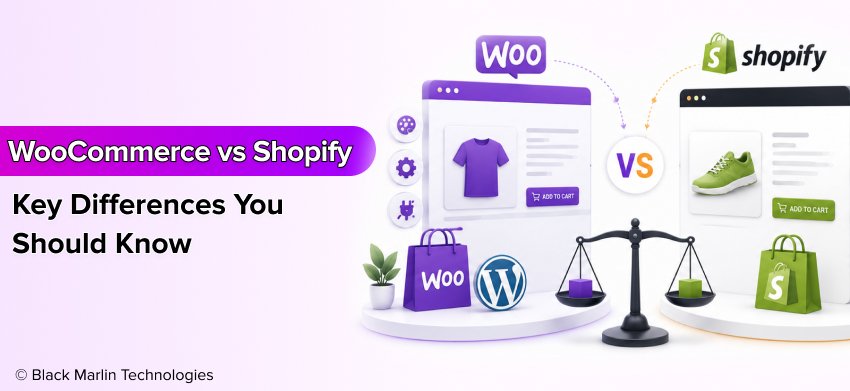 Shopify is a hosted ecommerce platform. It gives you the kind of tools to build up your store, steer products, take payments, and deal with a lot of that technical setup in one place, so you do not really need to manage separate hosting just to begin.
WooCommerce is an ecommerce plugin inside WordPress. It helps add an online shop, kinda like full store features, to your WordPress site and it also gives you more say about hosting, design, plugins, and other pieces of your webpage. That kind of flexibility can be pretty helpful, yet it can also turn into extra setup and maintenance work.
So when comparing WooCommerce vs Shopify, the real question is not only which platform is better, it’s which one fits your business, budget, technical abilities, and future plans.
By the end of this guide, you’ll know how WooCommerce and Shopify compare on cost, ease of use, SEO, customization, security, scalability, and more.
- What Is WooCommerce?
- How Does WooCommerce Work With WordPress?
- Do You Need Hosting for WooCommerce?
- Themes and Plugins
- Payment Gateways
- Store Customization
- What Is Shopify?
- Store Creation
- Hosting
- Themes
- Apps
- Payments
- Store Management
- WooCommerce vs Shopify: 10 Key Differences
- Ease of Use
- Pricing and Total Cost
- SEO Capabilities
- Customization and Flexibility
- Security
- Scalability
- Payment Options and Transaction Fees
- Apps, Plugins and Integrations
- Support and Maintenance
- WooCommerce vs Shopify: Which Is Better for SEO?
- WooCommerce vs Shopify: Which Is Better for Small Businesses?
- WooCommerce vs Shopify: Which Is Better for Large Businesses?
- Scalability
- International Selling
- Automation
- APIs
- Integrations
- Enterprise Support
- Custom Development
- WooCommerce vs Shopify for Dropshipping
- Product Imports
- Supplier Integrations
- Inventory Management
- Order Automation
- Payment Options
- Store Customization
- Marketing
- Final Verdict
- Frequently Asked Questions
What Is WooCommerce?
WooCommerce is this free ecommerce plugin that kind of takes a WordPress site and turns it into an online store. In a pretty plain way, if WordPress is the house, then WooCommerce adds all the necessary tools, the usual bits you need to run an actual shop inside that same place.
With WooCommerce, you can put products online, handle pricing, take payments, follow orders, and deal with customers straight from your WordPress dashboard. It’s also pretty adaptive, so you can alter the look and add features for your shop depending on what your business really needs.
How Does WooCommerce Work With WordPress?
WooCommerce basically works right alongside WordPress. So, you first have to set up a WordPress website, then after that go ahead and install the WooCommerce plugin.
Once installed, you can:
- Add physical or digital products
- Set prices and product variations
- Manage orders and customers
- Set shipping options
- Add payment methods
- Create discounts and coupons
- Customize your store design
This makes WooCommerce a popular choice for businesses that already use WordPress for their website or blog.
Do You Need Hosting for WooCommerce?
Yes. Unlike Shopify, WooCommerce does not include hosting.
You need to buy hosting separately, from some hosting provider. Like yeah the hosting quality can really mess with your website speed, security, uptime ,and how it handles traffic.
This gives you more control, but it also means you have more responsibilities.
Themes and Plugins
WooCommerce plays nice with thousands of WordPress themes and plugins. You can use a theme to tweak the way your store looks, and plugins to bring in new capabilities, or maybe some extra bits here and there.
For example, you can add plugins for:
- SEO
- Product reviews
- Email marketing
- Shipping
- Analytics
- Inventory management
- Security
- Backup
This large ecosystem is one of the biggest advantages of WooCommerce.
Payment Gateways
WooCommerce can handle a lot of payment options, mostly via extensions and payment gateway integrations. Depending on where you are, and how your business runs, you may want to let customers pay with cards, bank transfers, digital wallets, and a few other local methods too.
Always check the current fees and availability of your preferred payment provider before choosing an integration.
Store Customization
Customization is where WooCommerce really shines, sort of, you can rework your store layout, product pages, the checkout experience, navigation and other features.
If you have some development knowledge, you can also adjust the code or, hire a developer to build custom functionality.
Pros of WooCommerce
- Highly Customizable: WooCommerce really gives you a lot of say over your store’s design, features, and how things work. You can begin with a pretty simple setup and then tack on more tools, as your business grows.
- Strong WordPress Integration: WooCommerce works straight with WordPress, so it ends up being kind of useful for businesses that wanna stitch content marketing together with blogging and ecommerce, all on one website.
- Large Plugin Ecosystem: There are thousands of WordPress and WooCommerce extensions out there, like a lot of them, so it becomes easier to tack on extra features instead of building everything from scratch.
- Excellent SEO Control: WooCommerce gives website owners really strong control, over key SEO things. You can tune up product pages, also the content , URLs, metadata, internal links , structured data, and other technical parts that tend to matter..
- Flexible Hosting Options: You can pick your own hosting provider based on what you can spend, and what your website actually needs. And later, once your store starts growing a bit, you might want to shift toward more powerful hosting.
Cons of WooCommerce
- More Setup Required: WooCommerce kind of needs more early setup than Shopify. You usually have to deal with WordPress along with hosting, themes, plugins, and a bunch of other moving parts on the website.
- Hosting Is Separate: Hosting is not included with WooCommerce. You need to choose and pay for hosting separately.
- More Maintenance: You might need to regularly refresh WordPress, WooCommerce, the themes, and all those plugins. I mean, it’s sort of normal, because updates pile up, and then suddenly things act weird. Also, backups matter, and doing performance checks now and then is important too.
- Plugins Can Create Conflicts: Using a lot of plugins can sometimes lead to compatibility trouble or performance slowdowns, and honestly, it just gets messy over time. It is important to stick with dependable plugins plus keep them updated.
- Security Requires More Attention: Since you handle more sections of the website, you really need more attention on protection. With secure hosting, strong passwords, steady updates, backups that are dependable, and trusted plugins, you can help keep your store safe.
What Is Shopify?
Shopify is a hosted ecommerce platform that helps you create and run an online store without really touching most of the technical stuff yourself. It’s kind of like, you get a ready-made shop where the core infrastructure is already in set up for you.
With Shopify, you can add products, pick a layout, set up payments, handle orders, and begin selling all from one dashboard, kinda like everything is there in one place. This makes it a pretty popular choice for starters and for companies that want to launch an online store quickly
Store Creation
Making a Shopify store is pretty straightforward actually. You pick a theme, drop in your products, set up the key pages, arrange shipping and payments, and then, finally, get everything ready for launch.
You don’t need to install WordPress or separately configure a hosting server before starting.
Hosting
One of Shopify’s biggest strengths is that the hosting part is baked in with the platform. In other words, Shopify takes care of the whole underlying hosting infrastructure, so you don’t have to pick some separate hosting provider or run the server yourself.
This can make store management easier, especially if you don’t have much technical knowledge.
Themes
Shopify offers a range of free and paid themes that control how your store looks. You can customize elements such as:
- Colors
- Fonts
- Homepage sections
- Product pages
- Navigation
- Store layout
For businesses that need deeper customization, Shopify also supports advanced development options.
Apps
Shopify has an extensive app ecosystem that allows you to add new features to your store. You can find apps for:
- SEO
- Email marketing
- Reviews
- Inventory
- Shipping
- Analytics
- Customer support
- Marketing automation
However, some apps have separate subscription fees, so these costs should be considered when calculating your total ecommerce budget.
Payments
Shopify supports many payment choices, and not just one provider. Depending on where you are, you can give shoppers different options, like payment cards, e-wallets, bank transfers, and other supported payment methods.
Payment availability, and transaction fees can be different depending on the country, the provider, and the Shopify plan, so really check the most recent pricing before you go ahead with any decision.
Store Management
Shopify puts most daily ecommerce tasks in one dashboard. You can use it to:
- Add and edit products
- Process orders
- Manage customers
- Track inventory
- Set discounts
- Manage shipping
- Review store performance
This simple setup is one reason Shopify is often considered easier to manage than WooCommerce.
Pros of Shopify
- Easy to Start: Shopify is made so that launching an online store stays kind of simple. You can begin with a theme, toss in products, tweak your settings, and build your store, without having to run a separate hosting environment on the side.
- Hosting Included: You don’t really have to buy and set up a separate hosting, like, because Shopify handles the hosting infrastructure for you as part of the overall platform.
- Simple Dashboard: The Shopify dashboard sorta keeps the key store tasks in one place, so it feels less overwhelming. Even if you are a beginner you can learn the basics of product handling, order tracking.
- Strong Ecommerce Features: Shopify has a bunch of built in tools to keep an online store running. Basically you can handle products, stock, orders, markdowns, charges, delivery, and all sorts of other ecommerce stuff right from the platform.
- Security and Technical Infrastructure Are Largely Managed: Shopify takes care of a lot of the platform level infrastructure and security stuff, so there’s less technical upkeep needed from store owners.
However, shop owners still have to use strong passwords, keep accounts secure, rely on trusted apps, and set up appropriate access controls.
Cons of Shopify
- Less Control Than WooCommerce: Shopify gives you plenty of customization options, but WooCommerce generally provides more direct control over your website, hosting environment, and underlying WordPress setup.
- App Costs Can Increase Expenses: Many Shopify apps are useful, but some require monthly or annual payments. If you install several paid apps, your total store cost can increase.
- Advanced Customization May Require Technical Work: Basic customization is easy, but highly customized features may require knowledge of Shopify’s development tools or help from a developer.
- Platform-Dependent: With Shopify your store runs inside Shopify’s platform and its own rules, so the day to day management is usually easier but at the same time you end up having less control over the underlying infrastructure than you’d have with a self-hosted WooCommerce website.
WooCommerce vs Shopify: 10 Key Differences
Picking between WooCommerce and Shopify can feel a bit confusing at first, like you know there’s an answer but it’s hiding somewhere. Both platforms can help you put together a thriving online store, but they deal with the key stuff hosting, security, customization, and ongoing maintenance differently.
The right choice depends on your budget, technical skills, SEO goals, store size, and like how much control you actually want. Let’s just compare the two platforms point by point
Ease of Use
If you’re setting up your first online shop, Shopify is usually a bit easier to manage. It gives you the hosting, a store dashboard, themes, and a lot of ecommerce tools all in the same place.
You can pick a theme, add items, set up payments and start handling orders, without having to deal with a separate hosting setup.
WooCommerce takes a bit more work, you need a WordPress site, plus hosting, then the WooCommerce installation, and a handful of extra settings after that before your store is truly ready.
However, if you already know WordPress, then WooCommerce might feel a lot easier, like way more straightforward. You can still use the same WordPress dashboard, and all the tools that you’re already used to, familiar ones, really.
Pricing and Total Cost
Price is one of the biggest differences between WooCommerce and Shopify, but dont look just at the price that’s advertised for the platform.
Your actual ecommerce cost can include:
- Hosting
- Domain
- Themes
- Plugins or apps
- Payment fees
- Maintenance
- Developer costs
- Security and backup tools
WooCommerce itself is available as a free plugin, but you still need hosting and other services to run your store.
Shopify runs on paid plans that cover the hosting and most of the base platform infrastructure. You might still end up putting more money into premium themes, various apps, money processing services, or a bit of custom development too.
SEO Capabilities
SEO is important because a solid ecommerce store needs more than just eye-catching product pages. It also has to be fairly easy for search engines to understand and crawl, like they shouldn’t get stuck.
Both WooCommerce and Shopify can support ecommerce SEO, but they provide different levels of control.
You can compare them across:
- Meta titles
- Meta descriptions
- URLs
- XML sitemaps
- Schema markup
- Canonical tags
- Blog content
- Redirects
- Page speed
- Technical SEO
- SEO plugins and apps
WooCommerce works alongside WordPress, so you get access to this huge ecosystem of SEO plug-ins and, yeah, more control over a bunch of technical parts too.
Shopify also gives you key SEO features, and in many cases it does really well in organic search. But there are also technical changes that can feel more constrained compared with a self-hosted WordPress setup.
Customization and Flexibility
Want to change almost every part of your online store? WooCommerce gives you a lot of freedom.
WooCommerce
- WordPress ecosystem
- Large plugin library
- Custom code
- Thousands of themes
- Greater hosting control
- Database and server-level access
Because WooCommerce runs on WordPress, developers can modify many parts of the website.
Shopify
- Themes
- Apps
- Shopify APIs
- Liquid
- Shopify Plus capabilities
- Custom development options
Shopify also offers strong customization, but it works within Shopify’s platform and technical environment.
Security
Security is important for every ecommerce website , because the store is dealing with customer accounts, payment details, order information and also personal data, so if someone messes around with it all kinds of nasty stuff can happen.
With WooCommerce, you’re on the hook for more of the security setup than usual. It may mean picking a more secure hosting environment, staying on top of WordPress and plugin updates, setting up backups regularly, and also hardening the administrator accounts.
With Shopify, a lot of the deeper platform infrastructure stuff and the security pieces are handled by Shopify itself. That kind of lowers the amount of technical work store owners.
You should still follow good security practices on either platform, including strong passwords, secure user access, trusted plugins or apps, and regular monitoring.
Performance and Page Speed
A fast website creates a better experience for shoppers and can support your SEO and conversion goals.
But here’s an important point: neither WooCommerce nor Shopify automatically guarantees a fast website.
A WooCommerce store with poor hosting, too many plugins, and large images can become slow.
Likewise, a Shopify store with an unoptimized theme, too many apps, and heavy JavaScript can also have performance problems.
Performance can depend on:
- Hosting quality
- Image optimization
- Plugins or apps
- Theme quality
- JavaScript
- CDN configuration
- Third-party scripts
- Code quality
Scalability
What happens when your small online store becomes a large ecommerce business?
Both WooCommerce and Shopify can support business growth, but they approach scalability differently.
When evaluating scalability, consider:
- Number of products
- Website traffic
- Order volume
- International selling
- Multiple currencies
- Multiple locations
- Inventory requirements
- Integrations
- Enterprise requirements
With WooCommerce you get a bit more control over your hosting and infrastructure, and that can come in handy for companies that have specific technical needs.
Shopify gives you a managed platform, sort of built for scaling up ecommerce operations. It helps reduce how much infrastructure management you have to deal with day to day, so the store owner can focus on other things , more or less, instead of constantly handling setup, patches, and all that.
For very large businesses, the decision may depend on technical requirements, integrations, development resources, and enterprise features.
Payment Options and Transaction Fees
Both platforms support multiple payment options, but the exact choices and fees depend on your country, payment provider, and business setup.
You may need to compare:
- Payment gateways
- Credit and debit cards
- PayPal
- Stripe
- Local payment gateways
- Digital wallets
- Third-party payment fees
WooCommerce can connect with many payment gateways through extensions.
Shopify also supports multiple payment providers and payment methods through its platform and integrations.
Before choosing a platform, calculate the actual payment cost for your target market. Don’t rely on a single global transaction-fee number because pricing and payment availability can change by region.
Apps, Plugins and Integrations
Both platforms let you add extra features without building everything from scratch.
The main difference is how they do it:
WooCommerce → Plugins and extensions
Shopify → Apps
You can find integrations for:
- Email marketing
- CRM
- Analytics
- Inventory management
- Shipping
- Product reviews
- SEO
- Automation
- Customer support
- Marketing
WooCommerce benefits from the huge WordPress plugin ecosystem. Shopify has its own extensive app ecosystem focused heavily on ecommerce.
The important thing is quality, not just quantity. Too many poorly maintained plugins or apps can create security, compatibility, performance, or cost problems.
Support and Maintenance
Running an online store doesn’t end after launch. You need to keep your website updated, secure, and working properly.
WooCommerce
Support can come from:
- WooCommerce community
- Hosting provider
- Plugin developers
- WordPress resources
- Freelancers
- Development agencies
Because WooCommerce is more customizable, you may sometimes need technical help for hosting, plugin conflicts, updates, or custom development.
Shopify
Shopify provides a more centralized ecosystem that includes:
- Shopify support
- Documentation
- Community
- Shopify Partners
- Developers and agencies
Shopify handles much of the underlying platform maintenance, which can reduce the technical workload for store owners.
WooCommerce vs Shopify: Which Is Better for SEO?
If SEO is an important part of your ecommerce strategy, you may wonder which platform is better: WooCommerce or Shopify?
The good news i s that both platforms can handle strong SEO, in a similar kind of way. But your rankings will depend on a lot more than just the platform. Things like content quality, technical SEO, how fast the website is, backlinks, the overall user experience, product optimization, and even how tough the competition all matter.
However, WooCommerce gives you more direct control over a lot of those SEO things, mostly because it runs inside WordPress. Shopify then gives a simpler kind of SEO arrangement, which can be helpful for businesses that don’t want to handle as many technical details.
Here’s a quick comparison:
| SEO Factor | WooCommerce | Shopify |
| On-page SEO | Excellent | Excellent |
| SEO plugins | Excellent | Good |
| URL control | Strong | Good |
| Blogging | Excellent | Good |
| Schema control | Strong | Good |
| Technical control | Very high | Moderate |
| Site speed | Depends on setup | Depends on setup |
WooCommerce vs Shopify: Which Is Better for Small Businesses?
For a small business, picking an ecommerce platform isn’t only about features, because there is also budget, your technical level, the time you can spare and even SEO stuff, plus what happens later when you want future growth.
Both WooCommerce and Shopify can work well for small businesses. The better choice depends on how you want to manage your online store.
Choose Shopify If:
- You want to launch quickly. – Shopify can be a solid choice if you want to get your store online, without having to burn up tons of time on technical setup stuff. You pick a theme, drop in your products, arrange payments, and basically start selling from one single platform.
- You don’t want to manage hosting. – Shopify already has hosting built in, so you don’t really need to go looking for some separate hosting provider, or mess with server settings. This can actually save time for small business owners.
- You’re not very technical. – If stuff like hosting, plugins, updates, and server management feels confusing, Shopify can be a lot easier to deal with. A good portion of the technical infrastructure is taken care of for you.
- You want a simple dashboard. – Shopify bundles a lot of the everyday tasks in one spot. Basically you can handle products, orders, customers, inventory and a bunch of other shop stuff from the dashboard.
Choose WooCommerce If:
- You already use WordPress. – If your business site or blog is already running WordPress, then WooCommerce can feel like a natural fit, you know. It lets you drop in ecommerce abilities without jumping away to some totally different platform.
- You need extensive customization. – WooCommerce gives you more leeway to customize your website, like the look and feel, plus those little feature bits, checkout flow, product pages, and other elements.
- You want more technical control. – With WooCommerce, you get a lot more control over your hosting, the plugins, the website files and other technical little things. That can be helpful when you’ve got a developer or an SEO team running around and managing it all.
- Content and SEO are major parts of your strategy. – WooCommerce works together with WordPress, which makes it kind of a strong pick for companies that plan to publish blogs, buying guides, product comparisons and a bunch of other content too. The idea is to draw in organic traffic.
WooCommerce vs Shopify: Which Is Better for Large Businesses?
As your ecommerce outfit keeps getting bigger and bigger, your platform has to do more than just manage goods and orders. Once the org is largish, many people end up needing serious scalability, selling across multiple countries, automation that actually runs, advanced integrations, plus APIs and enterprise level support. There’s also the usual custom development.
Both WooCommerce and Shopify they can handle big ecommerce setups, but differently. WooCommerce usually gives businesses much more control over how their overall technology stack is arranged, like you decide a lot of the pieces. Shopify on the other hand aims at a managed ecommerce platform, so the business spends less time on infrastructure work.
Scalability
Large stores may have thousands of products, high traffic, many orders, and complex operations.
WooCommerce can absolutely scale, if you’ve got the right hosting plan and a solid database setup, plus caching layers , and ideally a CDN too. Since you, more or less, steer a lot of the infrastructure yourself, your technical team can tune the shop, around those very specific business requirements.
Shopify takes care of a lot of the underlying infrastructure for you. This makes scaling feel easier from a management perspective, because you usually do not have to maintain the ecommerce server environment yourself.
International Selling
Global businesses may need:
- Multiple currencies
- Multiple languages
- Regional pricing
- Local payment methods
- International shipping
- Tax management
- Localized content
Both platforms can support international ecommerce through built-in features, extensions, apps, and integrations.
WooCommerce gives a lot of flexibility, in the sense that businesses can pick their own plugins or services, sorta like assembling it themselves. Meanwhile Shopify leans more toward a guided, managed approach which can help simplify international store management.
Automation
Large ecommerce businesses often automate repetitive tasks such as:
- Order processing
- Inventory updates
- Email marketing
- Customer segmentation
- Shipping
- Reporting
- Lead management
- Marketing workflows
WooCommerce can connect with automation tools and WordPress plugins, giving businesses a high level of flexibility.
Shopify also has a strong automation ecosystem and can connect with many business tools and workflows.
APIs
APIs become especially important when an ecommerce store needs to connect with other business systems.
For example, a large company may need to connect its store with:
- CRM
- ERP
- Warehouse management
- Accounting software
- Marketing platforms
- Customer service systems
- Mobile applications
WooCommerce provides API access and can be extended through WordPress and custom development.
Shopify also provides APIs and development tools for connecting the store with external systems.
Integrations
Large businesses rarely use ecommerce software alone. They often need several systems to work together.
WooCommerce gets leverage from the huge WordPress and plugin universe, while Shopify leans on a wide ecommerce specific app and partner community.
Before choosing a platform, check whether it supports the exact tools your business already uses.
Enterprise Support
Support becomes more important when an ecommerce website is responsible for significant revenue.
WooCommerce businesses can work alongside hosting providers, developers, agencies, plugin companies, and WordPress specialists. This gives some flexibility though, but support can end up coming from multiple sources.
Shopify gives a more centralize platform, and at the same time it has Shopify Plus for enterprise businesses, for the ones with more complicated ecommerce requirements.
Shopify Plus can be pretty relevant for organizations that want advanced commerce functions, more operational flexibility, and an enterprise type of support. But honestly it should be assessed on what the company really needs day to day rather than automatically assuming it’s worth it just because the business is large.
Custom Development
Large businesses sometimes need features that aren’t available out of the box.
WooCommerce offers a pretty wide range of customization options via WordPress, plugins, themes and a bit of custom code too. If a business has a seasoned development team they can tweak a lot of different parts of the platform.
Shopify also lets you do custom work through themes, APIs, apps and then the whole development ecosystem around it, but businesses still tend to operate within Shopify’s platform architecture.
WooCommerce vs Shopify for Dropshipping
Starting a drop shipping business can sound pretty easy at first: you pick products, toss them into your online store, and a supplier ships the orders to customers. Still the platform you end up with can make the day to day routine feel smoother or painfully harder.
When comparing WooCommerce vs Shopify for dropshipping, don’t just stare at the store design. There’s more to it, like product imports and supplier connections, inventory handling, and order automation. Also consider payments, customization and even marketing, because all of that can change how smoothly your business runs overall.
Product Imports
Both platforms can help you add products from suppliers.
Shopify has many dropshipping apps that can help import product information, images, prices, and inventory into your store.
WooCommerce can also connect with supplier tools and plugins. Its flexible WordPress ecosystem gives you more options for customizing how products are imported and displayed.
Supplier Integrations
Your dropshipping platform needs to work well with your suppliers.
Both Shopify and WooCommerce support integrations with a bunch of supplier and fulfillment services. The real thing to ask is, whether the platform will actually work with your particular supplier.
Before choosing, check:
- Supplier compatibility
- Product synchronization
- Inventory updates
- Order forwarding
- Shipping updates
- Product information syncing
Inventory Management
Dropshipping stores usually don’t hold products themselves, but inventory information still needs to stay accurate.
If a supplier runs out of stock, your store should ideally update quickly to avoid accepting orders for unavailable products.
Both platforms can support inventory synchronization through apps, plugins, and integrations.
Order Automation
Automation can save a lot of time when you start receiving more orders.
You may want to automate:
- Order forwarding
- Supplier notifications
- Shipping updates
- Customer emails
- Inventory synchronization
- Tracking information
Shopify offers a large ecosystem of ecommerce and automation apps, which can make setup easier.
WooCommerce can also provide powerful automation through plugins and external tools, particularly if you have technical resources.
Payment Options
Customers need a convenient and trusted way to pay.
Both platforms support multiple payment methods through different payment providers. Depending on your target market, you may need:
- Credit and debit cards
- Digital wallets
- PayPal
- Bank payments
- Local payment gateways
Payment availability and fees can vary by country and provider, so check the current options for your target market.
Store Customization
Customization can be important in dropshipping because many stores may sell similar products.
You want your store to look different and build trust.
WooCommerce gives you extensive control over:
- Product pages
- Themes
- Checkout
- Navigation
- Landing pages
- Content
- Custom features
Shopify also provides themes, apps, and development options, making it possible to create professional and highly customized stores.
Marketing
Getting visitors to your store is often harder than creating the store itself.
Both platforms can connect with tools for:
- SEO
- Google Ads
- Social media advertising
- Email marketing
- Analytics
- Customer reviews
- Retargeting
- Conversion optimization
WooCommerce has a major advantage for businesses that want to combine ecommerce with WordPress content marketing and SEO.
Shopify can be attractive for sellers who want an easy-to-manage ecommerce marketing ecosystem with apps and integrations.
Final Verdict
So, WooCommerce vs Shopify which one is better? Honestly it really depends, there isn’t one single winner. The right platform is more about your business needs , your tech abilities, how much budget you have , and what you’re planning to do for growth later on.
Shopify feels easier to set up, and it is generally a better fit for beginners or for a company that would rather concentrate on selling than on all that technical upkeep. It also takes care of hosting and a lot of the underlying infrastructure behind the scenes so you don’t have to keep tinkering, constantly.
WooCommerce feels more flexible, and yeah it is more customizable too, so you can steer your website in a way that fits you better. It gives you wider control over a bunch of things like your hosting, plugins, content, and the whole technical setup, not just a couple of limits. This may end up being a better choice for a company that’s already using WordPress, or for anyone who actually needs deeper customization.
When it comes to SEO, both platforms can do pretty well, kind of depending on what you set up. WooCommerce gives you more technical control, while Shopify puts you in a more simple SEO atmosphere. Still, each can grow with your business, as long as they are properly configured and kept up with, managed regularly you know.
Eventually, you should pause and look at your budget, technical knowledge, company size, SEO objectives, and how you expect to grow later on before making the call. If you’re after simplicity, Shopify feels like the straightforward path. If you want more control and flexibility, then WooCommerce might be the better match.
Frequently Asked Questions
Q1. Is WooCommerce better than Shopify?
Ans1. – WooCommerce can be way better if you are after more customization, technical control, and that kind of flexibility. It is especially useful if the business is already running on WordPress, or if there are developers around who can handle hosting, plugins, and ongoing website maintenance.
Q2. Is Shopify better than WooCommerce?
Ans2. – Shopify can be a lot better if you are looking for an easy setup, managed hosting, and basically simple store management. It is a solid choice for beginners, and also for companies that really don’t want to deal with too much of the technical infrastructure themselves.
Q3. Which is cheaper, WooCommerce or Shopify?
Ans3. – There isn’t really a universal answer here. WooCommerce is free by itself but you still end up paying on the side for hosting, the domain, some plugins, security stuff, and maintenance too. Shopify usually has a monthly platform cost, while the hosting part is included. In the end the total you spend depends on what your store actually needs, meaning the features and specific requirements.
Q4. Which is better for SEO, WooCommerce or Shopify?
Ans4. – WooCommerce, honestly usually gives you more SEO control, specially when you’re thinking technical SEO, plus content stuff, URL structure, plugins, and basically website customization too. That said Shopify can still show up really well in the search results , but only if the store is set up properly optimized.
Q5. Which is easier for beginners?
Ans5. – Shopify is usually pretty easier for beginners, like it basically hands you a simple dashboard, managed hosting, ready themes, and a bunch of ecommerce features all in one place, so you don’t have to tinker too much at the start. Meanwhile WooCommerce tends to mean more initial setup and then ongoing maintenance.
Q6. Can WooCommerce handle a large ecommerce store?
Ans6. – Yes. WooCommerce can handle large ecommerce stores when it is properly built and optimized. Good hosting, caching, database optimization, CDN configuration, and efficient plugins become increasingly important as traffic and order volume grow.
Q7. Can I migrate from WooCommerce to Shopify?
Ans7. – Yes, you can migrate products, customers, orders, and other store information from WooCommerce to Shopify, using migration tools, apps or even custom development. Before you migrate though, make a backup first, and plan the URL redirects carefully so you protect your SEO.
Q8. Can I migrate from Shopify to WooCommerce?
Ans8. – Yes. A Shopify shop can also be moved over to WooCommerce. In practice the process might include shifting products, customers, orders, images, and other bits of data, kind of like a messy but necessary swap. Having a proper migration plan is super important, so you don’t end up with broken URLs, things that look half missing, or losing organic traffic.
Q9. Which platform is better for dropshipping?
Ans9. – Shopify is often kind of easier for beginners who want to kick off dropshipping fast, mostly because it has that ecommerce-focused app ecosystem. WooCommerce might be a smarter pick if you need extra customization and that deeper technical control, you know. But the best option really depends on stuff like whether your preferred supplier actually supports the platform.
Q10. Which platform should I choose for a small business?
Ans10. – Go with Shopify if you want an easy setup, you get managed hosting, and the store kinda runs itself without too much admin hassle. On the other hand, pick WooCommerce if you already use WordPress, or if you need more customization, a bit more technical control and also extra SEO flexibility.