'>
<rect width='100' height='100' fill='%23B22234'/>
<!-- stripes -->
<g fill='%23fff'>
<rect y='10' width='100' height='10'/>
<rect y='30' width='100' height='10'/>
<rect y='50' width='100' height='10'/>
<rect y='70' width='100' height='10'/>
<rect y='90' width='100' height='10'/>
</g>
<!-- blue box -->
<rect width='50' height='50' fill='%233C3B6E'/>
</g>
</svg>)
'>
<rect width='100' height='100' fill='%23fff'/>
<rect width='100' height='33.33' y='0' fill='%23FF9933'/>
<rect width='100' height='33.33' y='66.66' fill='%23138808'/>
<!-- Ashoka Chakra -->
<circle cx='50' cy='50' r='9' fill='none' stroke='%23000080' stroke-width='2'/>
<g stroke='%23000080' stroke-width='1'>
<line x1='50' y1='41' x2='50' y2='59'/>
<line x1='41' y1='50' x2='59' y2='50'/>
<line x1='44' y1='44' x2='56' y2='56'/>
<line x1='56' y1='44' x2='44' y2='56'/>
</g>
</g>
</svg>)
 info@blackmarlintechnologies.com

Imagine this…
Yesterday, your website had 100 visitors. People were clicking, reading, maybe even buying your services. Everything felt normal.
But today? You open your dashboard… and you see only 40 visitors.
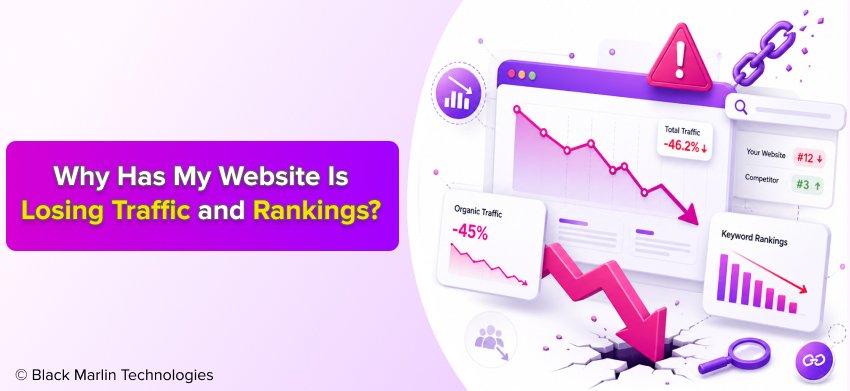 That sudden drop can feel confusing and stressful. You might start asking yourself:
“Why is my website losing traffic?”
“Why did my rankings suddenly drop on Google?”
Don’t worry this happens to many websites, even big ones.
Let’s understand it in a very simple way:
- Traffic = the number of people visiting your website
- Rankings = your position on Google search results
So, if your website moves from position #1 to #5, fewer people will see it. And when fewer people see your website, fewer people click. That’s how ranking drop leads to traffic drop.
Here’s an important fact you should always remember:
More than 50% of website traffic comes from Google
Your website receives most of its visitors through Google search results. The slightest change in your website rankings results in a major decrease in your website traffic.
The drop rate experiences two distinct patterns because it occurs either at a gradual pace or at an instant time. The reason for this issue may stem from three potential sources which include alterations to Google systems and existing website problems and increased rivalry from competitors.
The good news?
This problem is fixable.
In this guide, you will learn:
- The real reasons why your website traffic is dropping
- What causes ranking loss in Google
- Simple and easy steps to fix the issue
Let’s move ahead and find out what’s really causing your traffic drop
- What Does Traffic Drop Mean?
- Top 12 Reasons Why Your Website Is Losing Traffic?
- 1. Google Algorithm Updates (30–40% Impact)
- 2. Drop in Keyword Rankings (Big Impact)
- 3. Technical SEO Issues (20–30% Cases)
- 4. Website Speed is Slow (High Impact)
- 5. Lost Backlinks (Authority Drop)
- 6. Wrong Keywords Targeting
- 7. Website Redesign or Migration Issues
- 8. Content Quality is Poor or Outdated
- 9. Competition is Stronger
- 10. AI Search & Zero-Click Results
- 11. Indexing or Crawl Issues
- 12. Marketing or Traffic Source Changes
- How to Identify the Real Problem (Step-by-Step)?
- 1: Check the Traffic Drop Date
- 2: Check Keyword Rankings
- 3: Check Technical Errors
- 4: Compare Competitors
- 7 Easy Fixes to Recover Traffic Fast
- 1: Update Old Content
- 2: Improve Page Speed
- 3: Fix Technical Errors
- 4: Build Backlinks
- 5: Target Better Keywords
- 6: Optimize for AI Search
- 7: Improve User Experience
- Website Traffic Recovery Timeline (Realistic)
- Pro Tips to Handle Traffic Drop
- Conclusion:
- Final Thought
- Frequently Asked Questions (FAQs)
What Does Traffic Drop Mean?
Let’s understand this in the simplest way.
A traffic drop means fewer people are visiting your website than before. For example, if your site was getting 100 visitors daily and now only 50 people are coming, that’s a clear traffic drop.
But why does this happen?
Most of the time, it’s because of a ranking drop.
A ranking drop means your website has moved down in search results on Google. And when your position goes down, your visibility also goes down.
Here’s an easy example:
- Yesterday → Your website was Rank #1
- Today → Your website is Rank #5
That small change might look harmless, but it can cause a big loss in traffic.
Why? Because people usually click on the top results.
In fact:
So, if your website moves out of the top 3, most users won’t even see it and your traffic will drop quickly.
Think of it like a shop:
If your shop is on the main road, everyone sees it.
But if it moves to a small street, fewer people visit.
That’s exactly how rankings affect traffic.
So, when you notice a sudden drop, it’s often a sign that your Google rankings have changed, and fewer users are finding your website.
Top 12 Reasons Why Your Website Is Losing Traffic?
If you’re wondering, “Why is my website losing traffic and rankings?” that normally indicates something must have changed or on the website, or in the way Google ranks its pages.
This situation does not need any concern because it happens to many websites. The traffic of even successful websites experiences occasional drops. The important thing is to understand the reason and fix it step by step.
Let’s break it down in a simple way
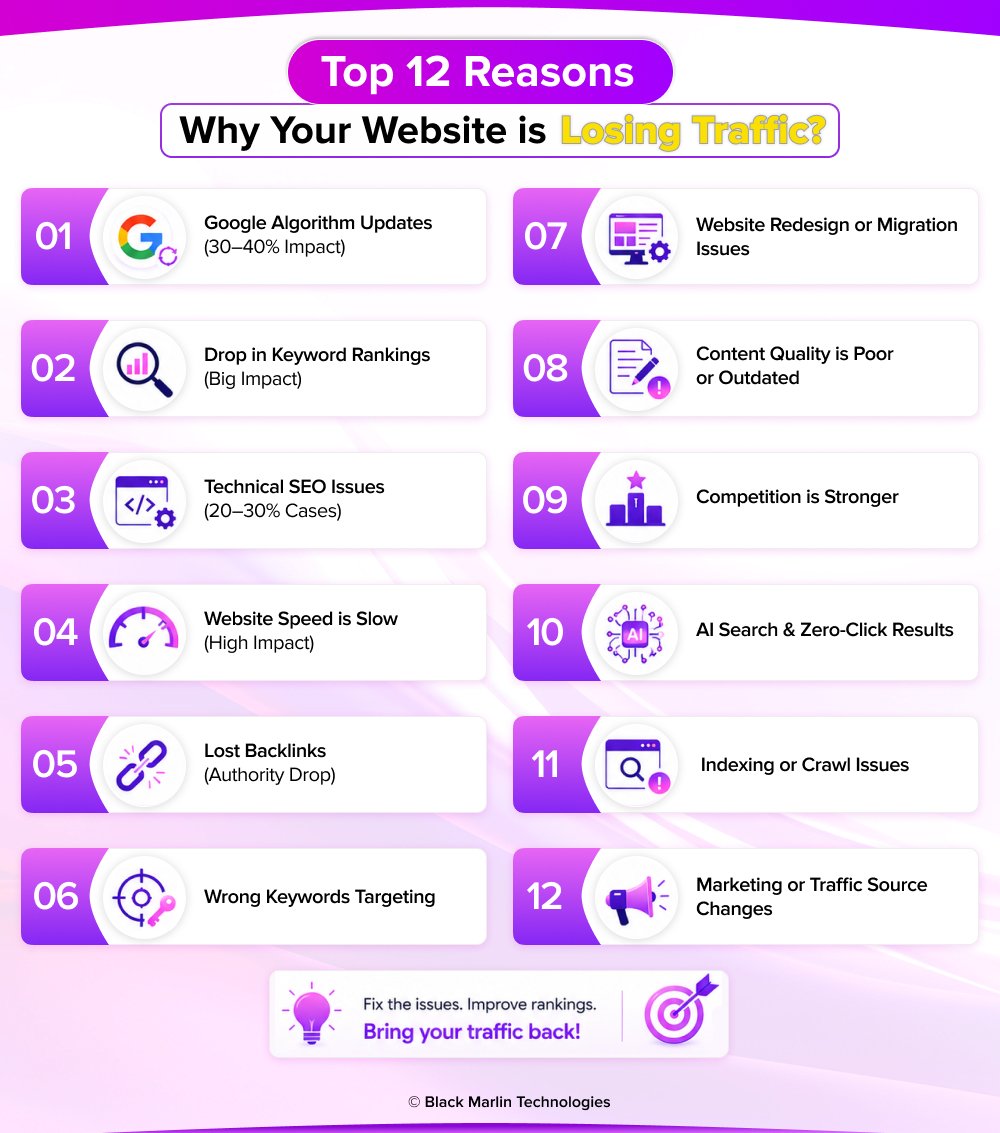
1. Google Algorithm Updates (30–40% Impact)
Google keeps updating its system so that users can enjoy even better search results. Sometimes, that may shake up your rankings.
If your content is not helpful, outdated, or low quality, your rankings may drop overnight.
Fix:
- Improve content quality (add value, examples, clarity)
- Follow Google SEO guidelines
2. Drop in Keyword Rankings (Big Impact)
Keywords are what people type in search. If your page drops from page 1 to page 2, your traffic can fall quickly.
Ranking drop = traffic drop (very strong connection)
Fix:
- Refresh old content
- Add better keywords based on user intent
3. Technical SEO Issues (20–30% Cases)
Technical problems stop Google from properly reading your site.
Common issues:
- Broken links (404 errors)
- Pages not loading
- Indexing issues
Fix:
- Check errors in Google Search Console
- Fix all technical problems quickly
4. Website Speed is Slow (High Impact)
Users don’t like waiting. If your site is slow, they leave and Google notices this behavior.
Slow speed = high bounce rate = lower rankings
Fix:
- Compress images
- Use fast hosting
- Reduce unnecessary scripts
5. Lost Backlinks (Authority Drop)
Backlinks are like “votes” from other websites. They help Google trust your site.
Losing backlinks = losing authority = ranking drop
Fix:
- Build high-quality backlinks
- Recover lost links if possible
6. Wrong Keywords Targeting
Sometimes websites target keywords that:
- Have no search volume
- Don’t match what users want
Fix:
- Do proper keyword research
- Focus on what users are actually searching
7. Website Redesign or Migration Issues
Changing your website design or domain can break your SEO if not done correctly.
Common problems:
- Missing pages
- Broken URLs
- No redirects
Fix:
- Use proper 301 redirects
- Audit your site after migration
8. Content Quality is Poor or Outdated
Google prefers fresh, helpful, and detailed content.
Old or thin content slowly loses ranking over time
Fix:
- Update old blog posts
- Add new data, examples, and insights
9. Competition is Stronger
SEO is competitive. If others improve their content and links, they can outrank you.
Fix:
- Analyze competitor content
- Create better and more helpful pages
10. AI Search & Zero-Click Results
Today, users often get answers directly on search pages without clicking any website.
This can reduce traffic by 15% in some cases
Fix:
- Optimize for featured snippets
- Structure content clearly for AI answers
11. Indexing or Crawl Issues
If Google cannot access or understand your pages, it won’t rank them.
Fix:
- Check robots.txt
- Ensure pages are indexed properly
- Fix crawl errors
12. Marketing or Traffic Source Changes
Traffic doesn’t only come from SEO. If you reduce ads or social media activity, total traffic can drop.
Fix:
- Use multiple traffic sources
- Combine SEO + social + paid ads
How to Identify the Real Problem (Step-by-Step)?
The most common error people make during website traffic declines occurs when they begin to speculate about the cause. You should check real data step by step. This helps you clearly understand why your website is losing traffic and rankings and what to fix first.
To do this, you need two simple tools:
- Google Analytics → shows how many visitors are coming
- Google Search Console → shows rankings, clicks, and errors
Now follow these easy steps
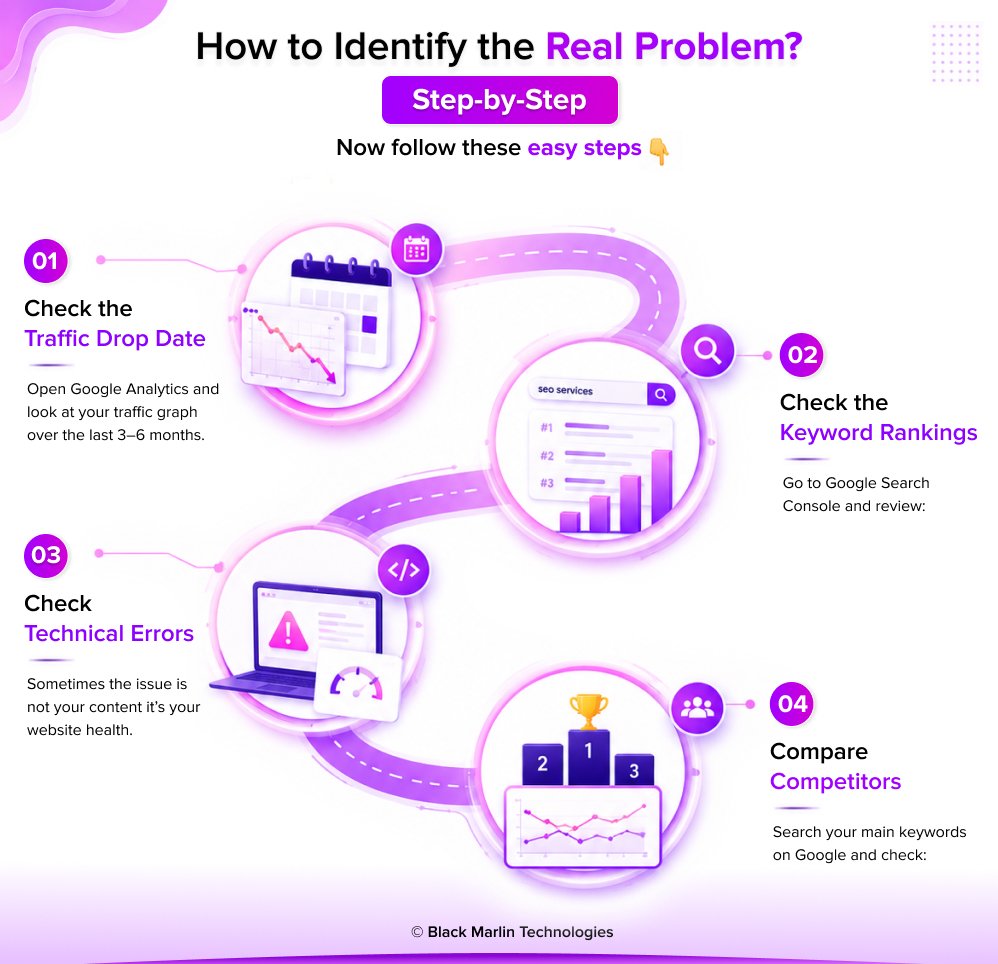
1: Check the Traffic Drop Date
Open Google Analytics and look at your traffic graph over the last 3–6 months.
Ask yourself:
- Did traffic drop suddenly or slowly?
- Did it drop on a specific date?
If the drop is sudden, it could be due to a Google update or technical issue.
If it is slow, it may be due to content quality or competition.
This step gives you the first clue about the problem.
2: Check Keyword Rankings
Go to Google Search Console and review:
- Which keywords lost rankings
- Which pages lost clicks and impressions
Even a small drop (like position #2 to #5) can reduce traffic by 20–30%.
Focus on:
- High-traffic keywords
- Pages that lost the most clicks
3: Check Technical Errors
Sometimes the issue is not your content it’s your website health.
Look for:
- Broken pages (404 errors)
- Pages not indexed
- Crawl errors
- Mobile usability issues
Around 20–30% of traffic drops happen due to technical problems.
Fixing these can quickly improve your rankings.
4: Compare Competitors
Search your main keywords on Google and check:
Who is ranking above you now?
What are they doing better?
Look at:
- Content length and quality
- Backlinks
- Website speed
- Use of images, FAQs, and structure
If competitors improved, your rankings may drop even if you did nothing wrong.
7 Easy Fixes to Recover Traffic Fast
The most common error people make during website traffic declines occurs when they begin to speculate about the cause. You should check real data step by step. This helps you clearly understand why your website is losing traffic and rankings and what to fix first.
Think of SEO more as growing a plant – it will not bear fruit overnight, but with proper care, you will trim it strong again.
Let’s understand each fix in a more detailed and practical way
1: Update Old Content
Content becomes outdated faster than you think. If your blog or page hasn’t been updated in months (or years), it may slowly lose rankings.
Google prefers fresh, helpful, and updated content.
What to do:
- Refresh old blog posts with new data and examples
- Add FAQs and more detailed explanations
- Improve headings, structure, and readability
Updating content can sometimes improve rankings by 20–30%, especially for competitive keywords.
2: Improve Page Speed
Speed is not just about user experience it directly affects SEO.
If your page takes more than 3 seconds, many users leave without waiting.
What to do:
- Compress and optimize images
- Use fast and reliable hosting
- Minimize heavy scripts and plugins
A faster website keeps users happy and signals quality to Google.
3: Fix Technical Errors
Technical SEO issues are like hidden problems you don’t always see them, but they can hurt your rankings badly.
Common issues:
- Broken links (404 errors)
- Pages not indexed
- Crawl errors
- Duplicate content
What to do:
- Regularly check Google Search Console
- Fix errors quickly
- Ensure all important pages are indexed
Around 20–30% of traffic drops happen because of technical issues.
4: Build Backlinks
Backlinks are one of the strongest ranking factors. They act like votes of trust from other websites.
More quality backlinks = higher authority = better rankings
What to do:
- Write guest posts on relevant sites
- Create valuable, shareable content
- Reach out for link-building opportunities
Strong backlinks can give your website a major ranking boost.
5: Target Better Keywords
Sometimes the problem is simple you are targeting the wrong keywords.
If no one is searching for your keywords, you won’t get traffic.
What to do:
- Use keyword research tools
- Focus on long-tail keywords (more specific phrases)
- Match your content with user intent
Right keywords bring targeted visitors, not just random traffic.
6: Optimize for AI Search
Search is evolving. Many users now get answers directly from AI tools and search features.
This can reduce website clicks by 15% in some cases.
What to do:
- Write clear and direct answers
- Use simple language and structured headings
- Add FAQ sections
AI-friendly content helps you stay visible even when search behavior changes.
7: Improve User Experience
User experience (UX) plays a big role in SEO. If users don’t enjoy your website, they leave quickly.
High bounce rate = lower rankings
Improve:
- Mobile-friendly design
- Easy navigation
- Clean layout
- Readable content (short paragraphs, simple words)
Better UX = more time on site + better rankings
Website Traffic Recovery Timeline (Realistic)
When your website traffic drops, one of the most common questions is:
“How long will it take to recover?”
The honest answer is it depends on the problem.
SEO is not instant. Just like building trust takes time, recovering rankings on Google also takes time. But if you fix the right issues, you will start seeing improvement.
Let’s understand the timeline in a simple way
1. Minor Issues → 2–4 Weeks
These are small problems that are easy to fix.
Examples:
- Updating old content
- Fixing small technical errors
- Improving page speed
Once fixed, Google can quickly notice the changes.
Result:
- Small ranking improvements
- Gradual increase in traffic
2. Medium Issues → 1–3 Months
These problems need more effort and consistency.
Examples:
- Content quality improvement
- Keyword optimization
- Fixing multiple SEO issues
Google takes time to re-evaluate your website.
Result:
- Rankings slowly improve
- Traffic starts growing steadily
3. Major Traffic Drop → 3–6 Months
These are serious issues that require long-term work.
Examples:
- Google algorithm penalties
- Large ranking loss
- Website redesign or migration issues
Recovery takes time because trust needs to be rebuilt.
Result:
- Slow but stable recovery
- Stronger long-term SEO performance
Pro Tips to Handle Traffic Drop
When your website traffic goes down, it’s easy to feel stressed or confused. But the truth is small traffic drops are normal, and every website faces them at some point.
Instead of worrying, focus on understanding and improving your website step by step.
Let’s go through some simple but powerful tips
Don’t Panic on Small Drops
Not every traffic drop is a big problem.
Sometimes traffic changes because of:
- Daily fluctuations
- Seasonal trends
- Small ranking changes
If your traffic drops by a small percentage, it doesn’t always mean something is wrong.
What to do:
- Monitor your data for a few days
- Check trends instead of one-day changes
Focus on long-term patterns, not short-term panic.
SEO Takes Time (Be Patient)
SEO is not instant. You won’t fix everything in one day.
When you make changes, Google needs time to:
- Crawl your website
- Understand updates
- Adjust rankings
What to remember:
- Small fixes → results in weeks
- Bigger changes → results in months
Consistency is more important than speed.
Focus on Quality, Not Tricks
Many people try shortcuts like:
- Keyword stuffing
- Buying low-quality backlinks
- Copying content
These tricks may work for a short time, but they can harm your rankings later.
What to do instead:
- Create helpful and original content
- Solve real user problems
- Make your website easy to use
Google rewards quality and trust, not shortcuts.
Conclusion:
If your website is losing visitors, don’t panic. A traffic drop is very common, and almost every website experiences it at some point.
The important thing to understand is this:
Traffic doesn’t drop without a reason.
It usually happens because of:
- Changes in Google rankings
- Website issues
- Better competition
The good news?
Every problem has a solution.
Once you identify the real issue whether it’s content, technical SEO, or user experience you can fix it step by step.
What Should You Focus On?
Instead of trying random tricks, focus on the basics that always work:
Content
- Create helpful, clear, and updated content
- Answer real user questions
- Keep your information fresh
SEO
- Use the right keywords
- Fix technical issues
- Build quality backlinks
User Experience
- Make your website fast
- Ensure mobile-friendly design
- Keep navigation simple and clean
Final Thought
SEO is not a one-time task it’s a continuous process.
If you:
- Stay consistent
- Improve your website regularly
- Focus on quality over shortcuts
Your website traffic and rankings will recover and grow stronger over time
Frequently Asked Questions (FAQs)
Q1. Why is my website suddenly losing traffic?
Ans.1: Your website can lose traffic for many reasons, such as:
- Google algorithm updates (30–40% of cases)
- Drop in rankings
- Technical issues on your website
- Poor or outdated content
Even a small ranking drop (like #2 to #4) can reduce traffic by 20–30%.
Q2. How do I check why my website traffic dropped?
Ans.2: You can check using:
- Google Analytics → to see traffic changes
- Google Search Console → to check rankings and errors
Steps:
- Check the date when traffic dropped
- Compare before and after data
- Look for errors or changes
Q3. Can Google updates cause traffic loss?
Ans.3: Yes, absolutely.
Google updates its ranking system regularly. These updates can change how websites are ranked.
If your content is not helpful or updated, your rankings can drop quickly.
Q4. How long does it take to recover lost traffic?
Ans.4: Recovery depends on the problem:
- Small issues → 2–4 weeks
- Medium issues → 1–3 months
- Big drops → 3–6 months
SEO takes time, so patience is very important.
Q5. Can losing backlinks affect my rankings?
Ans.5: Yes.
Backlinks work like “votes” for your website.
- More backlinks = higher trust
- Lost backlinks = lower rankings
This can directly reduce your website traffic.
Q6. Does website speed affect SEO rankings?
Ans.6: Yes, speed is very important.
A slow website can:
- Increase bounce rate (users leave quickly)
- Reduce rankings
Faster websites perform better in Google search.
Q7. Why is my website not ranking even after SEO?
Ans.7: There could be several reasons:
- Targeting the wrong keywords
- Low-quality or thin content
- Technical SEO problems
- Strong competition
SEO needs the right strategy + consistent effort.
Q8. How can I recover my website traffic quickly?
Ans.8: Follow these steps:
- Update old content
- Fix technical errors
- Improve page speed
- Build quality backlinks
- Target better keywords
Focus on fixing the root problem first.
Q9. Can AI search reduce website traffic?
Ans.9: Yes.
AI tools and search features can give answers directly, so users may not click on websites.
This can reduce traffic by 15% in some cases.
Q10. What is the biggest reason for traffic drop?
Ans.10: The most common reasons are:
- Google algorithm updates
- Ranking drops
- Poor or outdated content
These factors are responsible for most traffic losses.