+1-(646) 362-1414
 +91 8826683820
 info@blackmarlintechnologies.com

Managing the marketing for a business that has several branches can be really daunting. Each location has its own customers, has its own local competition, and has its own search results. This is what makes Local SEO for Multiple Locations a game-changer for agencies. When done correctly, every branch should pop up in searches when people search in that particular city or neighborhood — be it for “salon near me,” “best dentist in Mumbai,” or “car repair shop in Delhi.”

Most of the agencies know the basics of local SEO, but working in less than or more than 5 locations is another thing. You can’t have all your branch google business profile in one, you shouldn’t copy-paste content that you have written for every city, and, least of all, you should avoid inconsistent business details across platforms.
The good news is Multi-location businesses can dominate local search in every single location they serve through a strategic approach- an agility that agencies deliver results with: this insight is discussed in this guide to break down Local SEO for Multiple Locations to build a robust and reliable program for any client confidently and with ease.
- Why Multi-Location SEO Matters Today
- What Is Multi-Location SEO?
- Key Challenges That Agencies Face With Multi-Location SEO
- How Google Ranks Multi-Location Businesses
- A Step-by-Step Local SEO Strategy for Multiple Locations
- Local SEO Checklist for Agencies (Easy 15-Point List)
- Common Mistakes in Multi-Location SEO
- Multiple Locations: SEO Case Study
- Best Tools for Multi-Location SEO
- Conclusion
- FAQs
Why Multi-Location SEO Matters Today
How do you research things online? Long searches have virtually died. Now, people just take out their phones and type things like “. . . near me” to search for the nearest coffee shop, dentist, or gym. Fall in searches that contain “near me” have seen a skyrocket over the past several years, and because of where a person is physically situated, Google varies results based on exactly that. Supporting GPS, mobile technology has come about, providing total geographical accuracy, preventing the need for large chunks of text ever again.
Since the evolution and development of such industries, Local SEO for Multiple Locations has become much more important today. No matter how many locations a brand has — five or five hundred — each location needs visibility, its own Google Business Profile, and the possibility of existing especially upon a client’s search in that area. The result will be a scenario where only a couple of locations are receiving online attention whilst the others are left untouched, in the absence of a proper local SEO blueprint.
Thus, there is a great opportunity for the agencies. When companies which have several outlets want to ensure the local search presence, they are keen to find partners able to do this at a scale-as they say. With the correct strategic approach, every outlet can improve rankings, attract more foot traffic, and convert local customers in large numbers.
In essence, persons require local results, companies need visibility, and agencies resolve that gap.
What Is Multi-Location SEO?
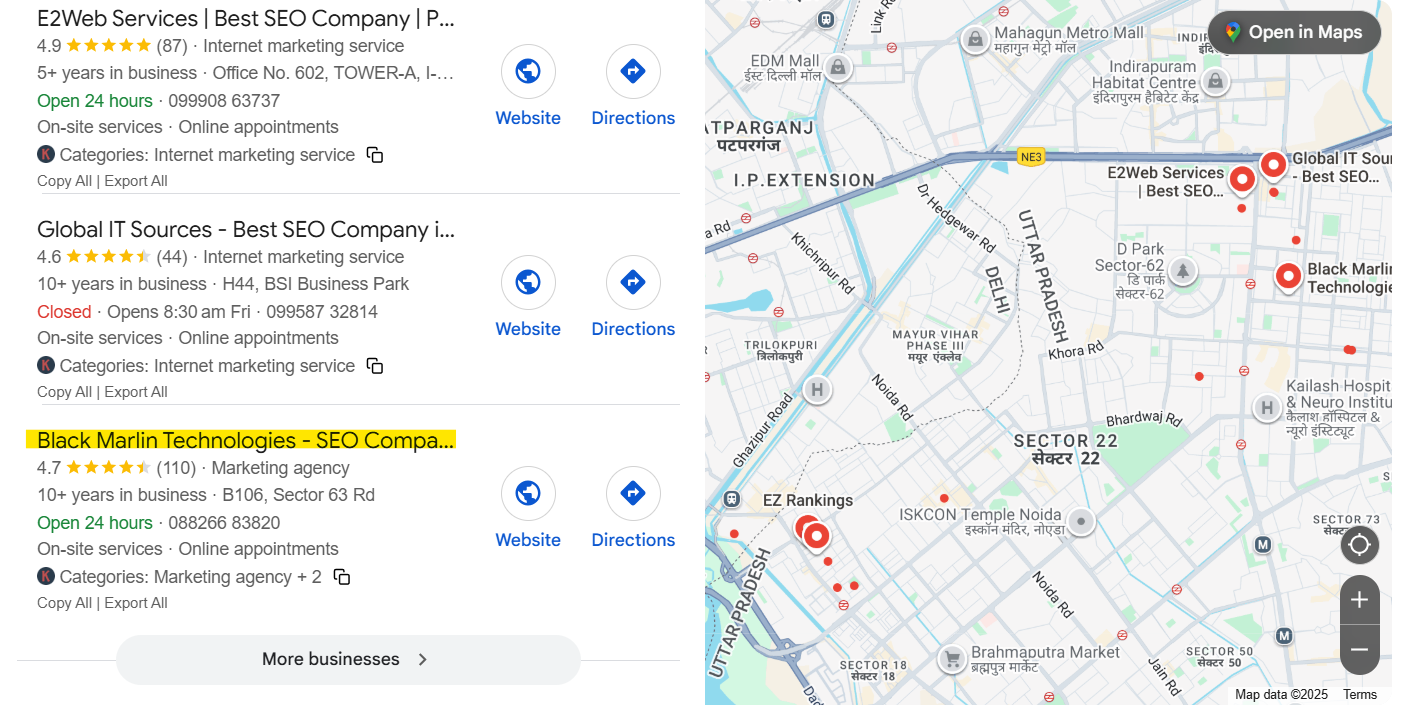 Is it like the big brand with different shops in various cities such as one in the city of Delhi, one in Mumbai, and one in Bangalore? Even though it belongs to the same brand, awareness of the brands is different for each shop, so are its current customer base, locals, and neighborhood. Since local searches are taken every day, so this is the essence of Multi-location SEO.
It is something like this:
In the real world, every shop must have a signboard in order for someone to find it. In the online world, a presence is necessary for each location; in order for locals to know it exists and for Google to display it to them.
Multi-Location SEO makes sure that all these locations show up in local Google searches wherein one might type:
- “best salon near me”
- “pizza shop in Andheri”
- “AC repair in Gurugram”
Even though they’re all part of the same brand, people in different cities want different results. I mean, if you are sitting in Delhi or Gurgaon and look for a nearby shop, please, as above, do not show it from Pune.
Therefore, Multi-Location SEO makes sure:
- Each branch has its own visibility under the same brand but across different locations.
- Google usually identifies where a branch serves.
- The user sees the right location while up for the picking of a location.
Translated simply: Multi-Location SEO serves as the light that keeps all brand stores online regardless of each store with its own street, different perspective.
Key Challenges That Agencies Face With Multi-Location SEO
Implementing local SEO becomes challenging when you are dealing with multiple locations all at once. Running 10, 50, or even more than 200 branches makes the situation no less complicated.
Here Are The Main Challenges Agencies Face Regularly:
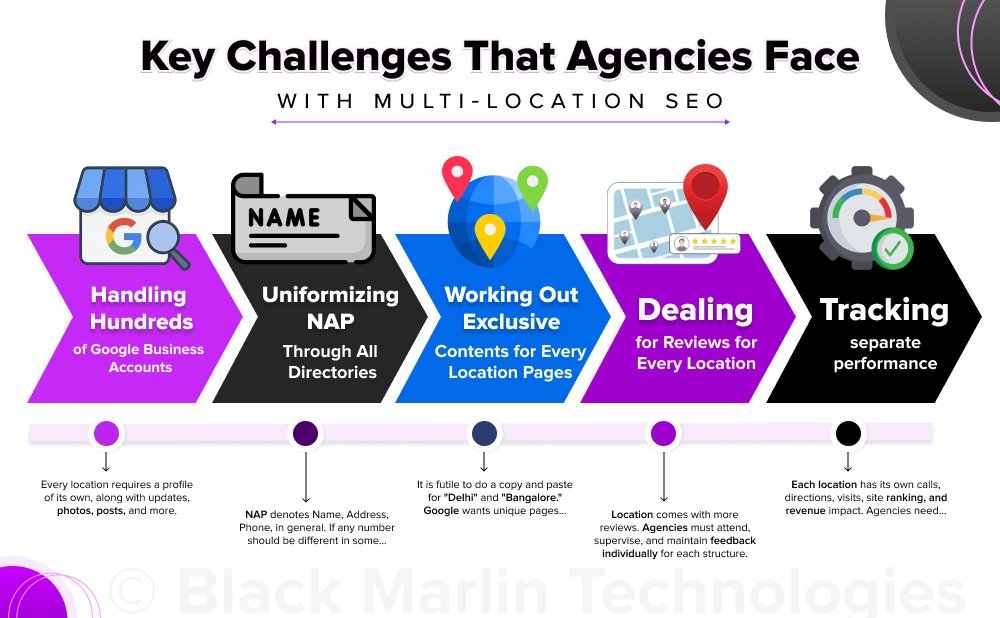
- Handling Hundreds of Google Business Accounts – Every location requires a profile of its own, along with updates, photos, posts, and more. Doing this manually will never end.
- Uniformizing NAP Through All Directories – NAP denotes Name, Address, Phone, in general. If any number should be different in some place among the platforms, it befuddles Google and leads to diminished rankings.
- Working Out Exclusive Contents for Every Location Pages – It is futile to do a copy and paste for “Delhi” and “Bangalore.” Google wants unique pages, which requires more time and energy.
- Dealing with Reviews for Every Location – Location comes with more reviews. Agencies must attend, supervise, and maintain feedback individually for each structure.
- Tracking separate performance – Each location has its own calls, directions, visits, site ranking, and revenue impact. Agencies need a clear system to track everything without mixing data.
This is precisely why Multi-Location Local SEO needs strong processes, smart tools, and a structured approach – not one-time tactics.
How Google Ranks Multi-Location Businesses
Which location of the business will show up first is not a decision Google makes at random. Google gives employees three simple criteria that help them easily determine the best match for the searching person.
The following are the three most important things Google does to determine the place showing up on TOP:
1. Relevance — Are you giving Google the right information?
This includes:
- correct keywords
- correct category
- correct business details
- complete Google Business Profile
If you have correct information and a solid match for what the user is seeking, you have practical relevance in the eyes of Google.
2. Distance — How close is the user to your branch?
Google would want to show a list even to a person searching “Near Me” amidst the nearest ones.
Therefore, someone if in Andheri will be shown the Andheri branch as the primary one rather than the one in Bandra.
3. Prominence — How trustworthy and popular is your location?
Google looks at:
- Reviews and ratings
- local backlinks
- citations
- brand reputation
- your business image
More trust is the location from the people, more Google towards showcasing it.
A Step-by-Step Local SEO Strategy for Multiple Locations
Then again, it’s the part where agencies require a solid and repeatable system. Multi-location SEO is not about random acts; instead, it is about doing things correctly and in the correct order. Here is a simple framework that your team could follow:
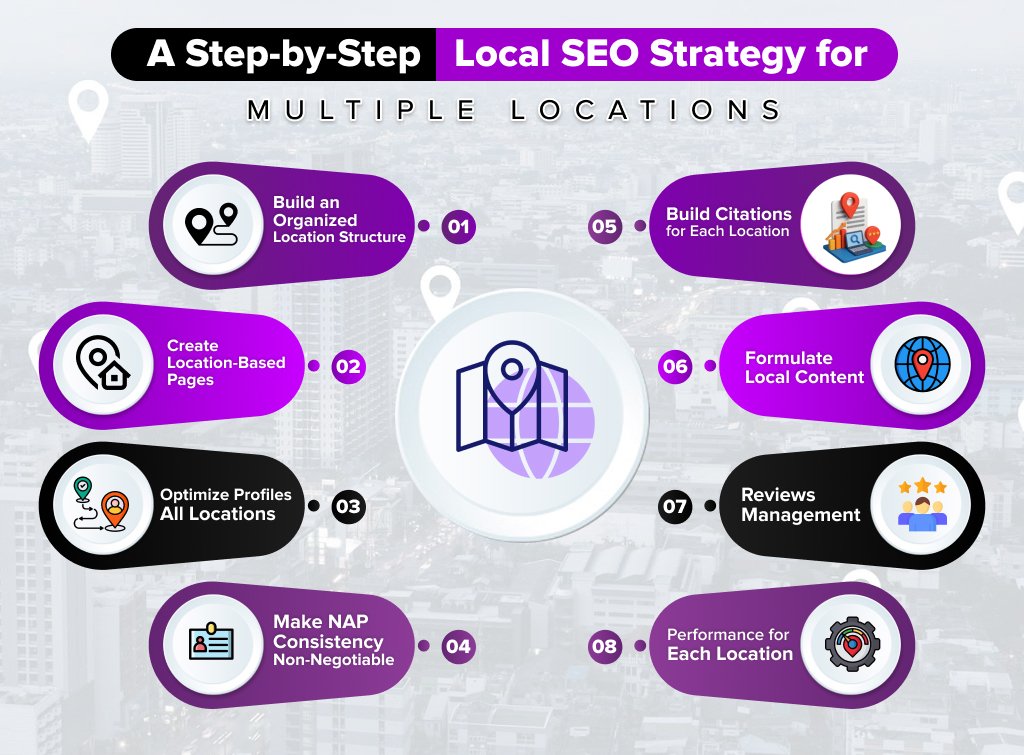
Step 1: Build an Organized Location Structure
Get things done, and get them right. This process is concentration first before attracting those SEO benefits
- Every Location must have a Google Business Profile
Only valid listings should be prepared. Get the necessary proof and setup for every location.
- Clean Location Hierarchy held on a spreadsheet
Use this as a systematic repository for all Lynx records: name, address, phone, hours, photos, URLs, and logins.
In this way, only one account can be operated, divided amongst the agency teams, or you may later regret it.
Good organization will save you a lot of time down the line, the more locations you have to manage, the more crucial it becomes.
Step 2: Create Location-Based Pages
Each location earns its own page and no two duplicate pages are admissible.
Finally, remember to put everything that the page must feature:
- A city-specific service-focused H1
Example: “Digital Marketing Services in India – ABC Agency”
- An exclusive introduction
Write naturally on the implications of being located in the city and what the specific unit has to offer.
- Service details specific to the location
Highlight what is provided at that particular location.
- Google Map embed
Essential for clear wayfinding and improved local relevance.
- NAP details (Name, Address, Phone)
Keep these details accurate and visible
- Reviews pertaining to that location
Helps be 100% trustworthy from day one.
Why have rankings destroyed from duplicate content?
The thing that will force Google to think that your entire location pages are spammy and low-quality, would be their lime imitation. Unique content tells the search engine that you have definitely addressed different personnel and locations.
Step 3: Optimize Google Business Profiles for All Locations
Again, multipart buildings must never forgo optimization in relation to GBP. Here are key areas of focus:
- Categories – Choose the most relevant primary category for the business, supplemented by some secondary ones.
- Photos – It is best if they are real images of the store, staff members, and items for sale.
- Service areas – Make sure targeting is consistent with service areas for each of the locations.
- Posts & offers – Make sure posts and offers keep the profile busy with recent updates and promotions.
- Q&A – Provide some useful questions and answers to improve relevance.
An optimized GBP sends strong signals and enhances visibility right away.
Step 4: Make NAP Consistency Non-Negotiable
The NAP stands for the following:
- Name
- Address
- Phone Number
Once these basic NAP details contradict from one platform to another, Google most likely comes to confusion. Confusion in Google lowers ranking.
Effective Tips:
- Make sure (that) the details are consistent on all (spelt correctly in spotless formats)
Example: “Rd” and “Road” results in inconsistencies.
- Fix duplicate listings which are eroding trust signals.
- Remove or keep updated the outdated listings and keep everything fresh.
Step 5: Build Citations for Each Location
Citations are of great use to Google (not to be confused with same-name academic practice). They simply authenticate information that a place actually exists.
Examples for citation platforms include:
- Justdial,
- Sulekha,
- IndiaMart,
- Yelp,
- Bing Places,
- Apple Maps, etc.
Difference shown:
- Structured citations
The listing at platforms that include fields with standardized categories. Such, they will normally be the same, and as well always comprise of Name, Address, and Phone.
Example: Yelp, Bing Places.
- Unstructured citations
Citations that pop up during random searches on websites when NAP is present
Example: A local newspaper article.
Both build relevant location authority.
Step 6: Formulate Local Content and Local Authority Signals
Each location should have content that speaks to its clientele.
Example:
- Localized Blogs – Discusses up-to-date city trends, events, and neighborhood information.
- Localized Landing Pages – These are more detailed pages for each service in each city.
- Localized Link-Building – Sponsor upcoming events, become members of real local associations and partner with local creators.
- Local Community PR – Press releases, charity events, local sponsorships.
Local Content gives the brand more of a “_local” feel superior in each city.
Step 7: Reviews Management (Considered the Most Important Factor)
Being a ranking factor, reviews are useful to Google and the clients to rate the trust of a location.
Train clients to:
- Ask for reviews from both locations – Using SMS, e-mails, or in-store QR codes.
- Answer to each and every review – Positive or negative–show involvement.
- Automate the review generation – Minimizes time and quickly nurtures reviews.
- Responsibilities to local keywords. – Example, “Thanks for stopping by our Noida branch.”
Don’t underestimate the power of reviews in local SEO.
Step 8: Track Performance for Each Location
Monitoring assists an agency shaped by true results that knowingly goes to the clients.
Monitor:
- GBI insights – Views, calls, and directions.
- Local ranking – How important keywords position for each location.
- Click-to-call – How many GBP call them.
- Directions requests – It is as best an indicator as intent.
- Local conversions – Bookings, inquiries, purchases.
- Page traffic for each location – Use UTM parameters to bring clarity onto the picture.
Here are some tools:
- Google Search Console (GSC)
- GBI Manager
- Semrush
- BrightLocal
This is valuable data to you – tracking helps you to see what works and what doesn’t for each branch.
Local SEO Checklist for Agencies (Easy 15-Point List)
So you have the checklist for each particular client with many locations.
1. Create a separate Google Business Profile for each location
No shared or combined listings.
2. Use unique location pages with city-focused keywords
A copy and paste of the same content are to be avoided.
3. Add accurate NAP (Name, Address, Phone) on every page
NAP must match everywhere online.
4. Add a Google Map embed for each location
A Google Maps embed immediately boosts local relevance.
5. Real photos and videos must be uploaded to GBP
Posting genuine images and videos on GBP accounts for better user engagement.
6. Set the correct two categories for primary and secondary
Setting misleading categories can cause rankings to fall.
7. Build structured citations on major directories
Justdial, Sulekha, Yelp, IndiaMart, Apple Maps, etc.
8. Fix duplicate listings and remove unclaimed profiles
Keeps location signals clean.
9. Local Schema Markup must be added to Location pages
Google would get a very clear picture of each location.
10. Regularly publish local content
Like events, local news, etcimiters, do the listing periodically. City blogs, updates, announcements, offers.
11. Solicit and respond to reviews of every location
Reviews = top ranking factor.
12. Use UTM tracking on GBP URLs
Find out which branch garners most calls, clicks, and visits.
13. Make sure to keep business hours updated across all profiles
This is something one should especially pay heed to during holidays or any seasonal changes.
14. Monitor rankings and GBP insights monthly
Be careful about which branch needs to be given special attention.
15. Track conversions separately for each location
Calls, directions, inquiries, bookings—keep data clean and location-based.
Common Mistakes in Multi-Location SEO
It is quite common that the experienced agencies also sometimes ignore the basics while dealing with multi-location clients. These simple mistakes can greatly impact the rankings across all the branches. However, their rectification is easy provided due care is already taken.
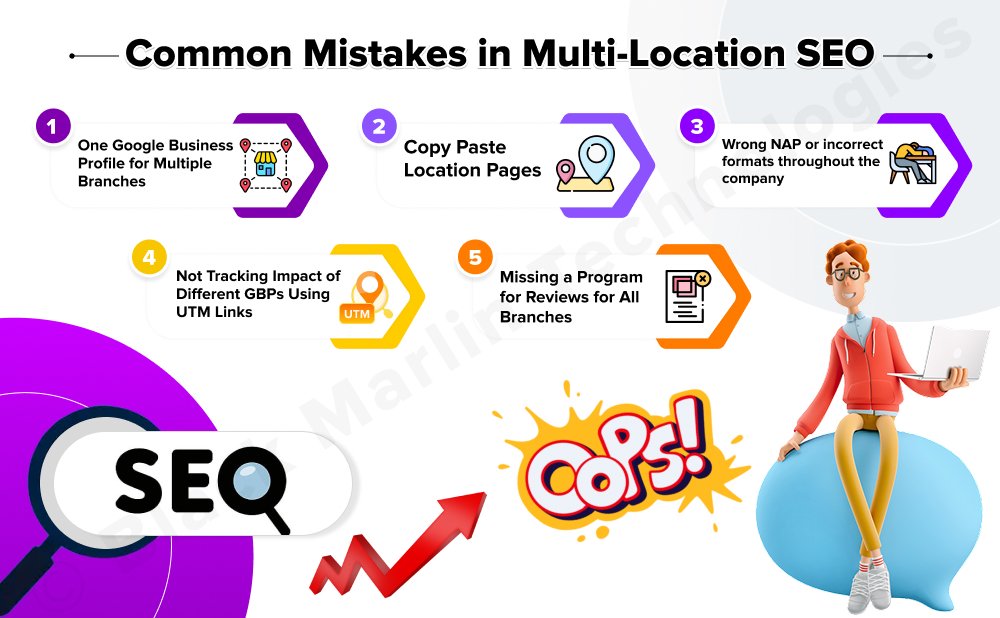
1. One Google Business Profile for multiple branches
This is the biggest mistake.
Each branch should have its GBP, or else Google will not show the branch at the top of the local search.
2. Copy-paste location pages
Google does not like duplicate content.
Even if only three identical pages of Delhi, Pune, and Bangalore are on your website, Google will not trust any of them.
Make sure each page is unique, local, and relevant.
3. Wrong NAP or incorrect formats throughout the company
Small changes like “Rd” vs. “Road” or different phone number formats cause confusion.
If the Name, Address, and Phone are not consistent everywhere, Google might show the incorrect one or no listing at all.
4. Not Tracking Impact of Different GBPs Using UTM Links
Tracing the sources of the calls, clicks, and leads to individual braches will not be possible in the absence of UTM tags.
Every branch necessitates its own tag to measure its true performance.
5. Missing a program for reviews for all branches.
One branch could have 200 reviews while another may only have 5 yet collectively. Guess which one would have a higher rank.
Every location will need reviews flowing in consistently while facilitating fast and appropriate responses to build trust.
Multiple Locations: SEO Case Study
Let’s see through an actual example to understand the power of Multi-Location SEO when properly done.
One big headache at the doorstep of this retail service brand was that they work with 15 locations across India.
The sales enquiries coming online were likely to land in only one of the locations; not more than two! The rest were down below in an obscure corner on the net. The reasons for the locations being so stuck up were some had old phone numbers wrong, some profiles were incomplete, incomplete, while others simply bore Google’s no reviews.
This is a simple framework we followed:
Step 1: Clean and optimize all our 15 Google Business profiles.
We kept right photographs, made sure NAP was a proper name, ensured proper categories were selected, and opened hours of every branch.
Step 2: Location pages tailor-made for individual and city-specific focus
Diverse content on a per-location basis along with Google Maps, reviews, and services more particular to each branch.
Step 3: Citation building at a local level:
Justdial, Sulekha, IndiaMart, Apple Maps: each of the branches had its own set of listings.
Step 4: Implemented automated review generation system
Customers would get automated requests to write a review for the appropriate office with a link to branch location. This strategy helped the number of review counts grow by 4 times within 2 months.
Step 5: Added UTM Tracking to Every GBP
This, for obvious reasons, would munch on http leads so we could see which offices were getting calls, clicks, and foot traffic.
The Result?
Local leads across locations have increased by 220% within 90 days. 12 of 15 branches have started ranking in the top 3 for near-me searches. Call volume also doubled. Direction requests grew 3x. Even the lowest-performing branches started to be visible within their local areas.
One thing is clear after reading this case study:
If you have the right skill set and consistency, Multi-Location SEO can transform every location-even the low-performing ones.
Best Tools for Multi-Location SEO
Managing SEO for one location is easy. Managing it for 10, 50 or 200 locations? That needs the right tools. Here are the most reliable platforms agencies use to keep multi-location SEO organized, accurate, and scalable.
1. BrightLocal — The One Local SEO Dashboard
BrightLocal is the monitoring tool where agencies can track rankings, audit their citations and reviews, and check these data points for separate locations in only one place. A streamlined local-SEO-team tool!
2. Semrush Local — Keyword and Competitor Insite
Upon entering such local keywords, in the track-off, helpfully, it is poised to jump.
Audits of location pages will analyze how the competitors are actually doing in search. It is well-suited to any agency that requires a flawless snippet of awareness with subsequent spreadsheets and reports.
3. Moz Local — The Easy Citations Management System
RealTime Styles Ratings This section is intended for corporations whose web integrity adds lifeblood to the brand. It is likely to span each of the locations across different states.
4. Yext — Above-Medium-Level Listings and Reviews
You might not understand why a corporation should transition to this level; well, one level above does not cover all the systems designed for entity-level businesses. Yext has made some well-publicized corroboration of its benefactor corporations. Through partners, it is able to get in the business’s key locations papers. And think of a lot of 100-plus platforms which should comprise between updating and responding with review automation.
5. Local Falcon — Map-Based Rank Check
Local Falcon depicts every location’s ranking on a grid map.
It tells the marketers the places where the arm of the business is visible — and those where it is not — throughout the city.
6. GBP API Tools — Bulk One-to-Many Management for Large Brands
The tools facilitate GBP API services for those who manage hundreds of locations, without feeling too bad about it.
- Location profile updates
- Posts
- Questions
- Photos
- Images of holiday hours
Best for agencies handling large clients for enterprise brands.
Conclusion
When it comes to Multi-Location SEO, remember that systems outperform shortcuts any day. Many agencies use arbitrary tactics, here and there, to struggle with just a few GBP updates today and a couple of citations tomorrow in a vain effort to make such a pedestrian approach workable when managing 10, 50, or even 200 locations.
The real success lies in developing a module that works repeatedly for each outlet, whatever region, whatever number of locations. A clearly designed location page framework, a standard procedure for GBP changes, a procedure for checking NAP accuracy, and a set of requirements to manage reviews are the various factors behind results that are solidifying in the long term.
In the larger context, Local SEO is not just about one-time fixes; it’s a service delivery of consistency.
- Consistency in updates.
- Consistency in tracking.
- Consistency in connection.
- Consistency in optimization for every outlet.
The mere mention of English at the restitution phase goes to reveal that the whole project is executed in English.
FAQs
1. How does local SEO work for several locations?
Each outlet of a business will be helped by local SEO to show up in searches for the respective city or region. It is provided with its Google Business Profile, page on the business’s website, and social proof such that Google realizes that its customers are from different geographies.
2. Can a website be ranked for multiple cities?
Yes, it is feasible-but only if each city has its own dedicated location page. Each location page should bear unique content, accurate information, and strong local relevance for the particular region.
3. Do I need a separate Google Business Profile for each location?
Yes, each of your branches should have its own separate profile. If you try to list all the branches under a profile, Google will be confused as to which branch to return in search results for local queries.
4. Should each location have unique content?
Yes. Duplicating the same content will deteriorate its rankings…. Each location page must include a unique introduction consulting its services, photos, map, and reviews so that Google eulogizes it as being useful to local individuals.
5. How long will multi-location SEO take?
Certain locations start having an improvement in about 8–12 weeks but the best possible results can come with a longer-term approach. Rapport factors such as reviews, citations, and especially local authority build with the passage of time.
6. Can I gauge the performance of every branch separately?
Yes. With the usage of UTM links, Google My Business insights, and tools like SEMRush or BrightLocal, you can tap into separate tracking call, click, ranking, and conversion data for each outlet.
7. What is the biggest ranking factor for multi-location SEO?
Reviews. Google wants to feed up most believable and valuable results. So, greater reviews and quick turnarounds will help any location to improve its rating.
8. Do all branches need citations?
Yes. All branches should definitely earn citations on the favorable directories to legitimize their presence| name, click, and contact details. This adds legitimacy and increases visibility.